Chromebooks are often considerably cheaper than Windows laptops and MacBooks. Entry-level models can cost only a few hundred dollars, while even better-equipped Chromebook Plus devices are usually priced below many premium laptops.
The lower price does not necessarily mean that every Chromebook is poorly made. Chromebooks cost less because ChromeOS is designed differently, requires fewer system resources, and focuses heavily on web-based applications. Manufacturers can therefore use simpler hardware and produce devices for students, families, and everyday users at lower prices.
However, there are also important limitations to understand before buying one. For a broader comparison, read our guide on whether you should get a Chromebook or a traditional laptop.
Here are the main reasons Chromebooks are so affordable – and when paying more for a traditional laptop may make sense.
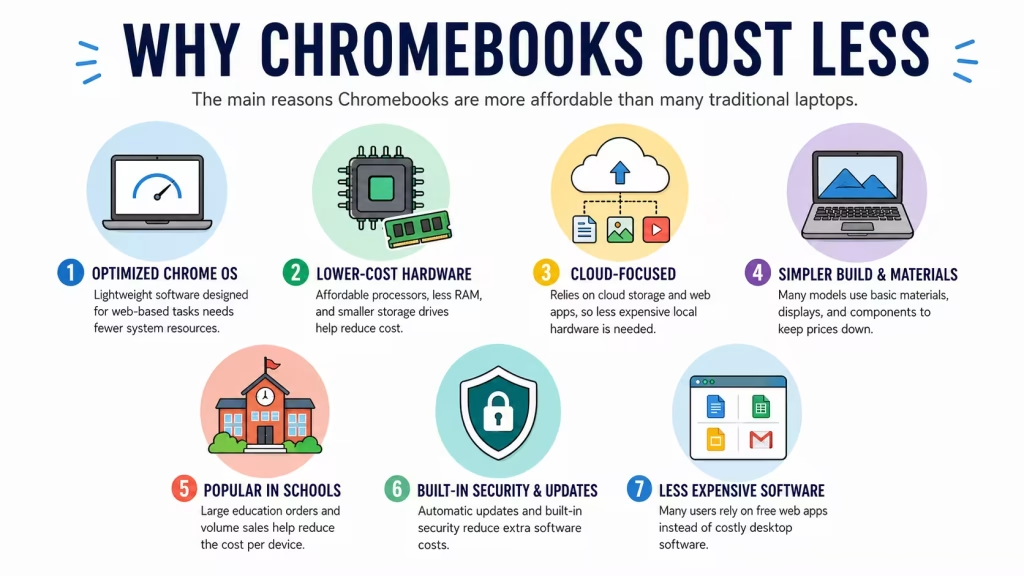
1. ChromeOS requires less powerful hardware
One of the biggest reasons Chromebooks are inexpensive is ChromeOS.
ChromeOS is designed primarily for web browsing, cloud applications, streaming, email, and everyday productivity. It generally needs fewer hardware resources than a full Windows installation running multiple background services and traditional desktop programs.
Because of this, a Chromebook can provide acceptable everyday performance with:
- A lower-cost processor
- Less RAM
- Smaller internal storage
- Simpler cooling
- Lower power consumption
This allows manufacturers to use affordable components without making the computer unusable for its intended tasks.
That does not mean every low-end Chromebook is fast. Models with very weak processors and only 4GB of RAM can still feel slow when many browser tabs or Android applications are open. For a better long-term experience, 8GB of RAM is preferable.
2. Many Chromebooks use inexpensive processors
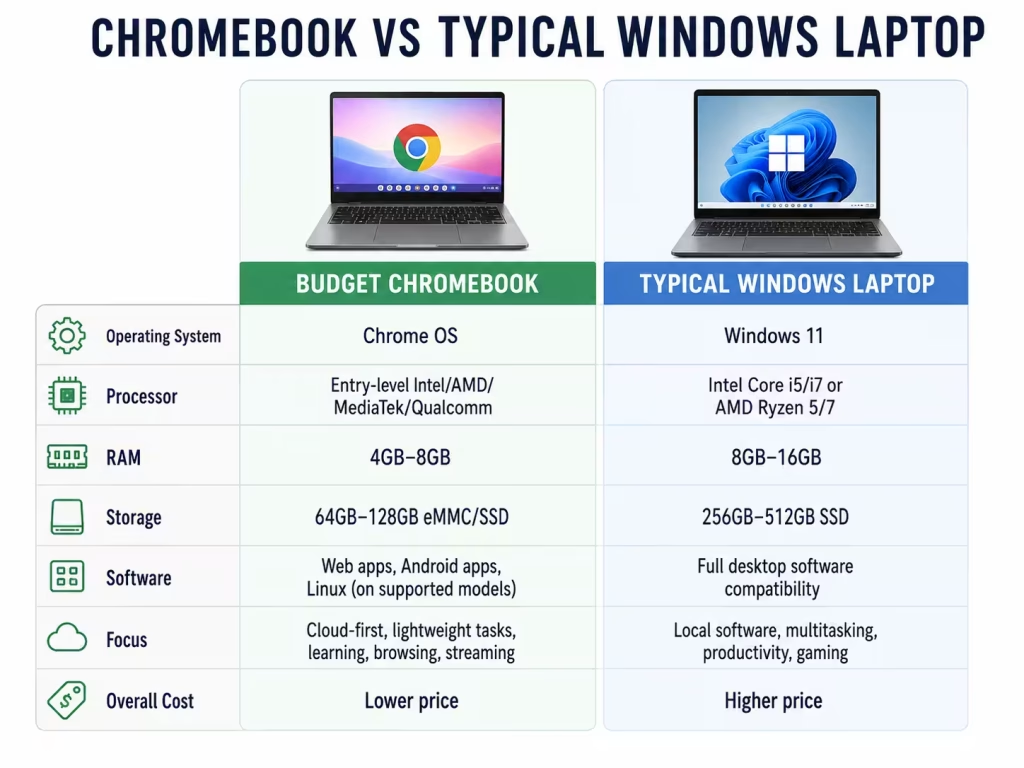
Budget Chromebooks often use processors designed for basic computing rather than heavy workloads.
Depending on the model, you may find:
- Intel N-series processors
- Entry-level Intel Celeron or Pentium chips in older models
- MediaTek processors
- Qualcomm processors
- Lower-cost AMD processors
These chips are usually sufficient for browsing, Google Docs, schoolwork, video streaming, and video calls. Processor names can still be confusing, so our guide to which CPU type is best for a laptop explains the main differences. They cost less and consume less power than processors intended for gaming, video editing, engineering software, or demanding professional applications.
More expensive models—including Chromebook Plus devices—can include Intel Core or AMD Ryzen processors. Google’s Chromebook Plus requirements include at least 8GB of RAM, 128GB of storage, a Full HD IPS display, and eligible Intel Core or AMD Ryzen processors.
This means not all Chromebooks are extremely basic anymore. The category now ranges from inexpensive school devices to more capable premium models.
3. Chromebooks usually include less local storage
Traditional laptops often include 512GB or 1TB solid-state drives. Budget Chromebooks may provide only 32GB, 64GB, or 128GB of local storage.
Smaller drives lower the manufacturing cost.
ChromeOS is built around cloud storage and web applications, so users are encouraged to keep many files in services such as:
- Google Drive
- Microsoft OneDrive
- Dropbox
- Other online storage platforms
This approach works well when you have reliable internet access. However, limited local storage can be inconvenient for large photo collections, offline videos, games, or large application libraries.
Chromebooks can work offline for many common tasks, but they are still most useful when connected to the internet.
4. Manufacturers often use simpler materials and displays
Many affordable Chromebooks are built with plastic rather than aluminum or magnesium. They may also use simpler hinges, basic speakers, smaller batteries, and less expensive displays.
Common compromises on low-cost models include:
- Plastic construction
- Lower screen brightness
- Limited color accuracy
- Basic 720p webcams
- Non-backlit keyboards
- Fewer ports
- Lower-quality speakers
These choices help keep the price low, but they also explain why two Chromebooks with similar specifications can feel very different in person.
The cheapest model is not always the best value. A slightly more expensive Chromebook with a better screen, 8GB of RAM, and a stronger processor may remain useful for much longer.
5. ChromeOS relies heavily on free web applications
Chromebooks are designed to work with web-based services such as Google Docs, Sheets, Slides, Gmail, and Google Drive.
Many users can complete their daily work without purchasing traditional desktop software. Chromebooks can also use web versions of Microsoft Word, Excel, and PowerPoint, and Google lists Microsoft and Google productivity tools among the applications available to Chromebook users.
Many Chromebooks also support Android applications through the Google Play Store, although app availability and compatibility can vary by model and administrator settings.
This reduces the need to bundle expensive software with the computer and makes ChromeOS devices attractive to schools and families.
However, a Chromebook may not be suitable when you depend on a specific Windows or macOS program.
6. Schools buy Chromebooks in large quantities
Chromebooks became especially popular in schools because they are relatively inexpensive, easy to manage, and quick to set up.
Large education orders allow manufacturers to produce similar devices in high volumes. This can reduce the cost per unit through economies of scale.
School-focused Chromebooks also tend to use standardized designs and components. Manufacturers do not need to create a completely new chassis or internal layout for every model.
That helps explain why many entry-level Chromebooks look similar and share comparable specifications.
7. ChromeOS security and updates are built in
ChromeOS includes automatic updates and several built-in security features, reducing the need for additional antivirus software for most everyday users.
Google says Chromebooks receive up to 10 years of automatic updates, although the exact support date depends on the specific model. Buyers should always check the device’s Auto Update Expiration date before purchasing, especially when buying an older or refurbished Chromebook.
Long software support can make an affordable Chromebook a better value than its initial price suggests.
However, the update period is linked to when the Chromebook model was released—not necessarily when you purchased it. An older model sold as new may have fewer years of support remaining.
Are cheap Chromebooks worth buying?
A cheap Chromebook can be an excellent choice for:
- Web browsing
- Email and social media
- Google Docs and schoolwork
- Streaming movies and music
- Video calls
- Online shopping and banking
- Lightweight Android applications
They are particularly useful for students, children, older users, and anyone who mainly works in a browser. Students can also use our 2026 laptop specifications buying guide to decide how much RAM, storage, and processing power they need.
For most buyers, I would avoid the absolute cheapest model unless the intended use is very light. A Chromebook with 8GB of RAM, at least 128GB of storage, and a Full HD display will usually provide a much better experience.
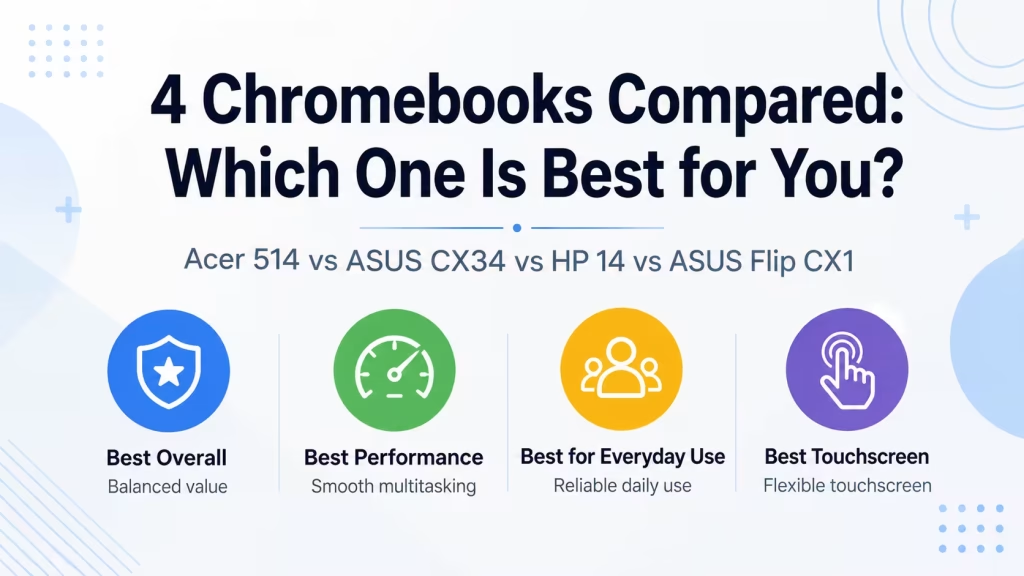
You can also compare several current options in our guide to four Chromebooks compared.
When should you buy a Windows laptop instead?
A Windows laptop is usually the better choice when you need:
- Full desktop applications
- Adobe Creative Cloud software
- Advanced photo or video editing
- PC gaming
- Specialized business programs
- Engineering or CAD software
- Extensive offline storage
- Broad printer or accessory compatibility
Some Chromebooks can run Android applications, Linux development tools, and selected games, but compatibility is not as universal as it is on Windows. For a closer look at gaming limitations and options, read Can a Chromebook Be Used for Gaming?
Before buying, make a list of the programs you use and confirm that each one works on ChromeOS.
Why are some Chromebooks expensive?
Not every Chromebook is cheap.
Premium Chromebooks can include:
- Faster Intel Core or AMD Ryzen processors
- 8GB or 16GB of RAM
- Larger SSDs
- High-resolution touchscreens
- Convertible designs
- Backlit keyboards
- Better webcams
- Aluminum construction
- Longer battery life
Chromebook Plus models also have higher minimum hardware requirements than basic Chromebooks, including 8GB of RAM, 128GB of storage, and a Full HD IPS display.
These devices compete more directly with midrange Windows laptops and may cost considerably more than entry-level Chromebooks.
What should you check before buying a cheap Chromebook?
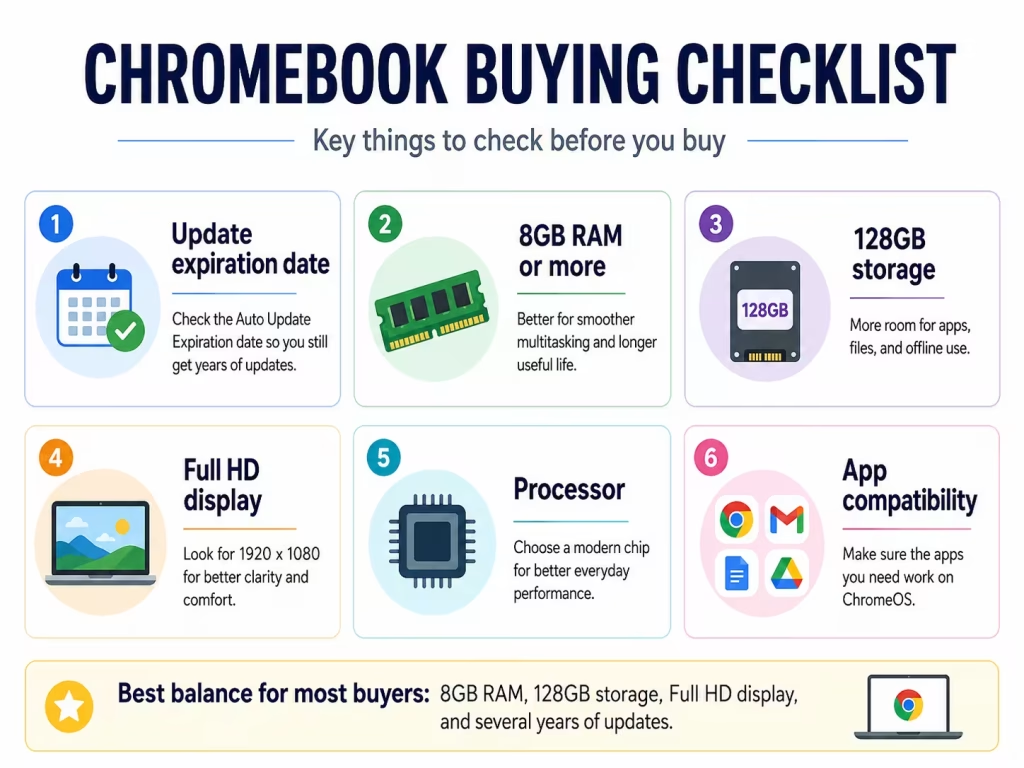
Before purchasing, verify:
- Automatic update expiration date: Make sure several years of support remain.
- RAM: Choose 8GB when possible.
- Storage: At least 128GB is preferable for apps and offline files.
- Display resolution: Full HD is much clearer than a basic HD panel.
- Processor: Avoid very old entry-level processors.
- Screen size and weight: Smaller models are easier to carry, while larger displays are better for extended work.
- Software compatibility: Confirm that your required applications work on ChromeOS.
You can browse Chromebook models in the LaptopStats laptop catalog and compare their specifications before choosing.
Conclusion
Chromebooks are cheap because ChromeOS requires fewer resources, many models use affordable processors and smaller storage drives, and manufacturers often use simpler designs and materials.
Their cloud-first approach also reduces the need for expensive hardware and traditional desktop software. Large purchases by schools and businesses further help manufacturers keep costs low.
For browsing, schoolwork, streaming, and basic productivity, a Chromebook can offer excellent value. But the lowest-priced model may come with compromises in performance, screen quality, storage, and build quality.
The best approach is to choose a Chromebook based on how you plan to use it—not simply because it has the lowest price.