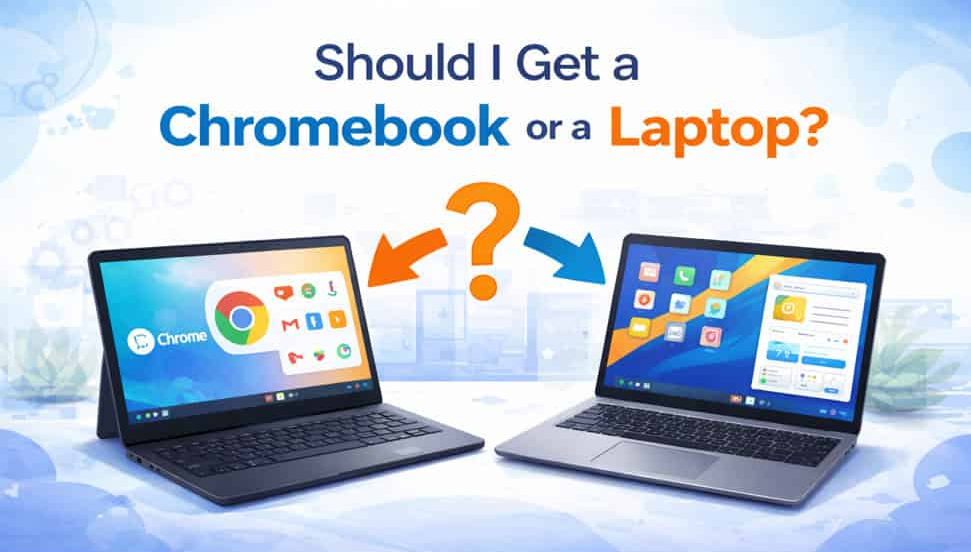
Choosing between a Chromebook and a traditional laptop can be a daunting decision, especially with the numerous options available in today’s market. Each has its own set of advantages and disadvantages, and the best choice depends on your specific needs and preferences. This article will help you weigh the pros and cons of each to make an informed decision.
Understanding Chromebooks
Chromebooks run on Google’s Chrome OS, a lightweight operating system designed primarily for web-based tasks. They are known for their affordability, simplicity, and integration with Google’s ecosystem.
Key Features of Chromebooks:
- Chrome OS: A streamlined operating system focused on web applications.
- Integration with Google Services: Seamless access to Google Drive, Google Docs, Gmail, and other Google services.
- Web-Based Applications: Reliance on web apps and cloud storage, with access to Android apps via the Google Play Store.
- Security: Regular automatic updates and multiple layers of security.
- Portability: Lightweight and often boasting long battery life.
Understanding Traditional Laptops
Traditional laptops run on a variety of operating systems, the most common being Windows, macOS, and Linux. They offer a broad range of functionalities and are suitable for a variety of tasks from basic productivity to high-end gaming and professional work.
Key Features of Traditional Laptops:
- Diverse Operating Systems: Options include Windows, macOS, and Linux.
- Software Compatibility: Can run a wide range of software applications, including specialized and high-performance software.
- Hardware Variety: Available in numerous configurations, from budget models to high-end machines.
- Customization: Greater flexibility in terms of hardware upgrades and software customization.
Pros and Cons of Chromebooks
Pros:
- Affordability: Generally cheaper than traditional laptops.
- Simplicity: Easy to use with a clean, intuitive interface.
- Security: Built-in security features and automatic updates.
- Speed: Fast boot times and efficient performance for web-based tasks.
- Portability: Lightweight and often have excellent battery life.
Cons:
- Limited Offline Functionality: Primarily designed for online use, with limited capabilities offline.
- Software Limitations: Cannot run traditional desktop applications like Adobe Photoshop or Microsoft Office (though web-based alternatives are available).
- Hardware Limitations: Typically lower-end hardware not suitable for demanding tasks.
- Customization: Limited options for hardware upgrades and software customization.
Pros and Cons of Traditional Laptops
Pros:
- Versatility: Can handle a wide range of tasks from basic to highly specialized.
- Software Compatibility: Runs a broad spectrum of software, including professional and creative applications.
- Performance: Available in configurations that can handle heavy multitasking, gaming, video editing, and more.
- Customization: Greater flexibility in upgrading hardware and customizing software.
Cons:
- Price: Can be more expensive, especially for high-performance models.
- Complexity: Operating systems like Windows or Linux can be more complex and may require more maintenance.
- Security: More susceptible to viruses and malware, often requiring additional security software.
- Portability: Heavier and bulkier than Chromebooks, with varying battery life.
Factors to Consider When Choosing
1. Purpose and Usage
- Web-Based Tasks: If your primary use involves browsing the web, using Google services, streaming videos, and light productivity tasks, a Chromebook is a great choice. Its simplicity and efficiency for web-based tasks make it an excellent option for students, casual users, and those needing a secondary device.
- Professional and Creative Work: If you need to run specialized software for work, such as Adobe Creative Suite, CAD programs, or software development tools, a traditional laptop is necessary. Windows and macOS laptops offer the performance and compatibility required for these tasks.
- Gaming: For gamers, a traditional laptop with a dedicated GPU is essential. Chromebooks are not designed for high-end gaming, though some can handle light Android games.
2. Budget
- Affordable Options: Chromebooks generally offer better value for budget-conscious buyers. If you need a reliable device for everyday tasks without spending much, a Chromebook is ideal.
- Investment in Performance: If you are willing to invest more for higher performance and versatility, a traditional laptop is the better choice. Mid-range and high-end laptops provide more power and features, but at a higher cost.
3. Portability
- On-the-Go Use: If you travel frequently or need a lightweight device with long battery life, a Chromebook excels in portability. Many Chromebooks are designed to be ultra-portable and can last all day on a single charge.
- Performance on the Move: For those who need powerful performance in a portable package, ultrabooks or lightweight traditional laptops offer a balance of power and portability, though they tend to be more expensive than Chromebooks.
4. Ecosystem Integration
- Google Ecosystem: If you already use and rely on Google services like Google Drive, Google Docs, and Gmail, a Chromebook offers seamless integration and a consistent user experience.
- Other Ecosystems: If you prefer or require integration with other ecosystems, such as Microsoft’s Office suite or Apple’s macOS and iOS, a traditional laptop would be a better fit.
5. Longevity and Support
- Long-Term Support: Chromebooks receive regular updates directly from Google, ensuring they remain secure and up-to-date. However, they may have a shorter support lifespan compared to some traditional laptops.
- Hardware Upgrades: Traditional laptops generally allow for more hardware upgrades, such as increasing RAM or storage, which can extend the device’s useful life.
Conclusion
Choosing between a Chromebook and a traditional laptop ultimately depends on your specific needs, budget, and preferences. Chromebooks offer affordability, simplicity, and excellent portability, making them ideal for students, casual users, and those who primarily work online. On the other hand, traditional laptops provide versatility, performance, and software compatibility, catering to professionals, gamers, and users with more demanding computing needs.
By carefully considering the factors outlined above, you can make an informed decision and choose the device that best suits your lifestyle and requirements. Whether you opt for a Chromebook or a traditional laptop, both have their own unique strengths that can enhance your productivity and computing experience.