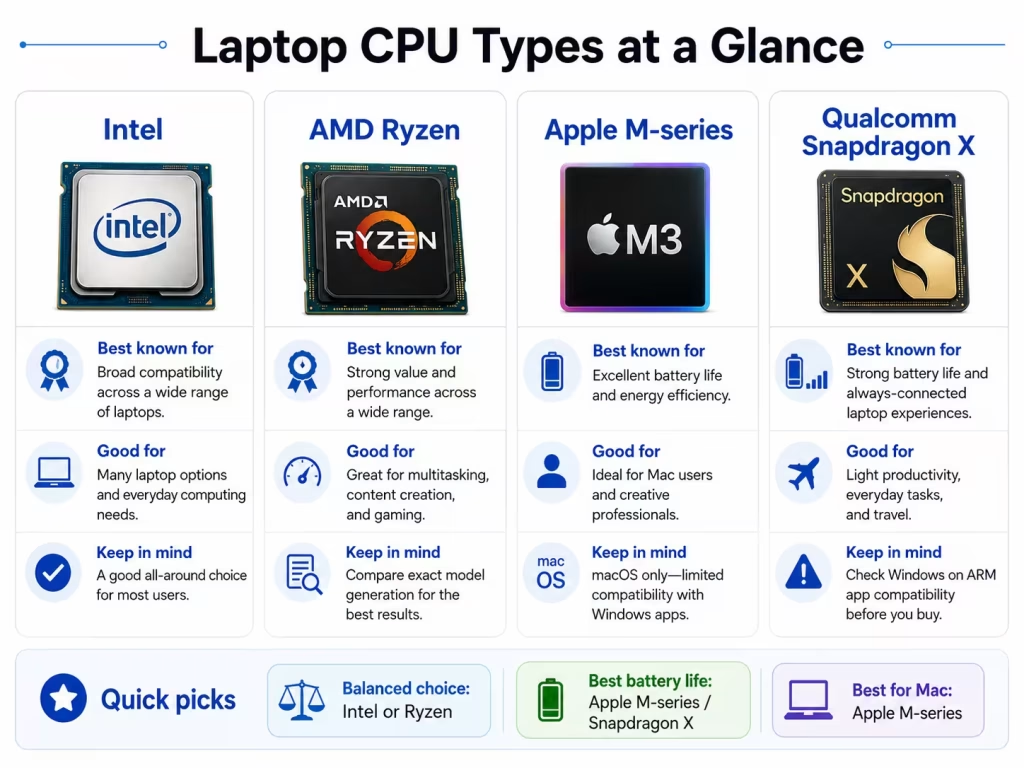
Choosing the best laptop CPU can be confusing because Intel, AMD, Apple, and Qualcomm each offer processors designed for different users. Intel and AMD power most Windows laptops, Apple uses its M-series chips in MacBooks, and Qualcomm Snapdragon X processors focus on portability, battery life, and AI-enabled Windows features.
The best choice depends less on the brand name and more on what you plan to do, which operating system you prefer, and how much you value performance, battery life, and software compatibility.
Quick answer: What is the best laptop CPU?
For most buyers:
- Everyday Windows use: Intel Core 5, Intel Core Ultra 5, or AMD Ryzen 5
- Long battery life: Apple M-series, Snapdragon X, Intel Core Ultra, or AMD Ryzen AI
- Gaming: Intel H/HX or AMD HS/HX processor with dedicated graphics
- Students: Intel Core 5, AMD Ryzen 5, Apple M-series, or Snapdragon X
- Creative work: Apple Pro/Max chips, Intel Core Ultra 7/9, or AMD Ryzen 7/9
- Basic browsing: Intel N-series, entry-level AMD, MediaTek, or similar low-power chips
The exact processor model matters more than the brand name alone.
What does a laptop CPU do?
The CPU, or central processing unit, handles the instructions needed to run the operating system, applications, browser tabs, and background tasks.
A stronger CPU can improve:
- Multitasking
- Application loading
- Web browsing with many tabs
- Spreadsheet calculations
- Photo and video editing
- Software development
- File compression
- Some areas of gaming performance
However, the CPU is only one part of the laptop. RAM, storage, graphics, cooling, and battery size also affect performance.
A laptop with a powerful processor but only 8GB of RAM may feel more limited than a balanced system with a slightly weaker CPU and 16GB of RAM.
Intel laptop processors
Intel offers processors for everything from inexpensive laptops to gaming and workstation systems.
Common Intel laptop families include:
- Intel N-series
- Intel Core 3, Core 5, and Core 7
- Intel Core Ultra 5, Ultra 7, and Ultra 9
- Higher-performance H and HX models
Intel is a good choice for:
- General productivity
- Business laptops
- Broad Windows software compatibility
- Gaming laptops
- Creator laptops
Intel Core Ultra processors also include integrated AI acceleration through an NPU in supported models.
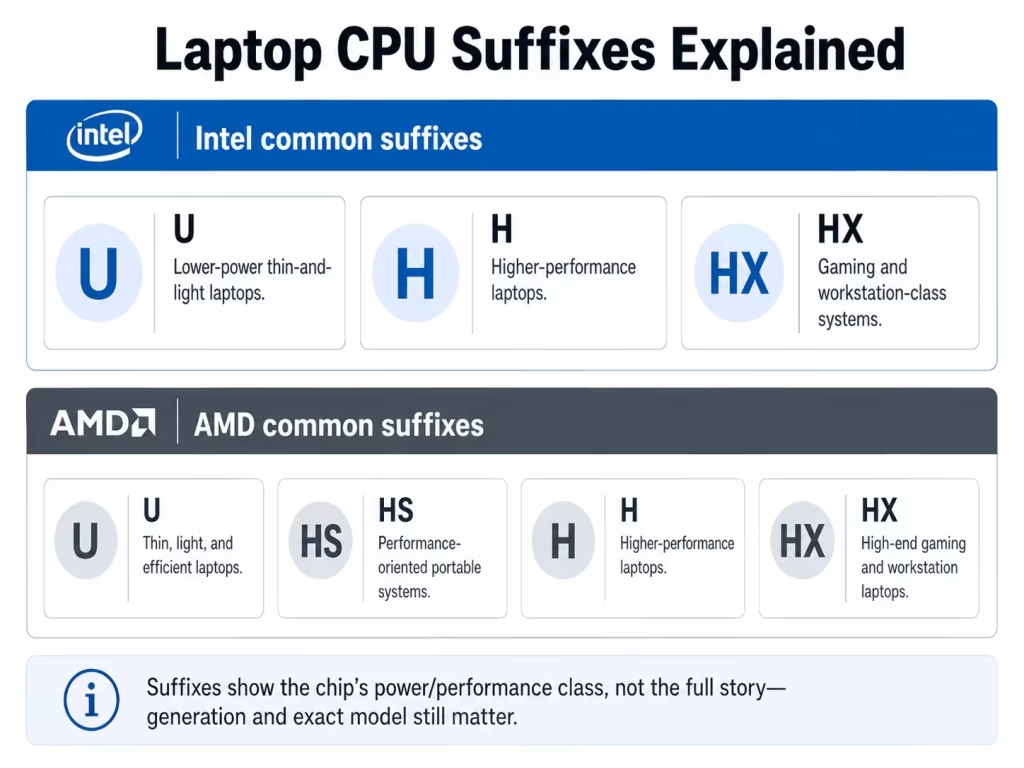
Understanding Intel suffixes
Letters at the end of the processor name usually indicate the intended power level:
- U: Thin, light, and efficient laptops
- H: Higher-performance laptops
- HX: Gaming and workstation-class systems
- V: Efficiency-focused premium mobile processors on some generations
An H or HX processor is usually faster under heavy workloads, but it also uses more power and requires stronger cooling.
AMD Ryzen laptop processors
AMD competes directly with Intel across budget, mainstream, gaming, and premium laptops.
Common AMD laptop families include:
- Ryzen 3, Ryzen 5, Ryzen 7, and Ryzen 9
- Ryzen AI processors
- U, HS, H, and HX performance classes
AMD is a good choice for:
- Strong overall performance
- Multitasking
- Good integrated graphics
- Gaming laptops
- Content creation
- Buyers looking for good value
Many Ryzen processors include capable Radeon integrated graphics. That can make some AMD laptops useful for light gaming even without a separate graphics card.
Understanding AMD suffixes
- U: Lower-power thin-and-light laptops
- HS: Performance-oriented portable systems
- H: Higher-performance laptops
- HX: High-end gaming and workstation laptops
Ryzen AI models also include an NPU for supported AI features, but the “AI” label alone should not determine your decision. The complete laptop still matters more.
Apple M-series processors
Modern MacBooks use Apple-designed M-series processors instead of Intel chips.
Apple combines the CPU, graphics, memory architecture, media engines, and AI acceleration into one system-on-a-chip.
Apple silicon is a good choice for:
- Mac users
- Long battery life
- Quiet operation
- Photo and video editing
- Music production
- Software development
- Users already invested in the Apple ecosystem
Which Apple chip level should you choose?
- Standard M-series chip: School, office work, browsing, and light creative tasks
- Pro chip: Heavier editing, development, and professional workloads
- Max chip: High-end video, 3D work, and graphics-heavy professional use
Most people do not need a Pro or Max processor. A standard M-series chip is already fast enough for everyday productivity.
The main limitation is that choosing Apple processor also means choosing macOS. Check that your required programs are available before switching from Windows.
Qualcomm Snapdragon laptop processors
Qualcomm Snapdragon processors use an ARM-based design and are becoming more common in Windows laptops.
Snapdragon laptops usually focus on:
- Long battery life
- Thin and light designs
- Quiet operation
- Fast wake and standby
- Built-in AI processing
Snapdragon is a good choice for:
- Students
- Travelers
- Office productivity
- Web-based work
- Video calls
- Users who prioritize battery life
The main concern: compatibility
Many popular Windows applications work well on Snapdragon systems, but some older or specialized programs may still have limitations.
Check compatibility carefully if you use:
- Older business software
- Engineering applications
- Certain games
- Anti-cheat systems
- Specialized drivers
- Printer or scanner utilities
- Virtualization tools
A Snapdragon laptop can be an excellent option, but only when your required software works properly.
Intel vs AMD: Which is better?
For most users, neither brand is automatically better.
Both Intel and AMD offer:
- Budget processors
- Efficient thin-laptop chips
- Gaming processors
- AI-capable models
- Strong integrated graphics in selected systems
The exact processor and laptop design matter more than the logo.
For example, an AMD Ryzen 5 in a well-cooled laptop may outperform an Intel Core 7 in a very thin model with strict power limits. The reverse can also happen.
Compare:
- Exact CPU model
- RAM
- Storage
- Battery size
- Graphics
- Display quality
- Price
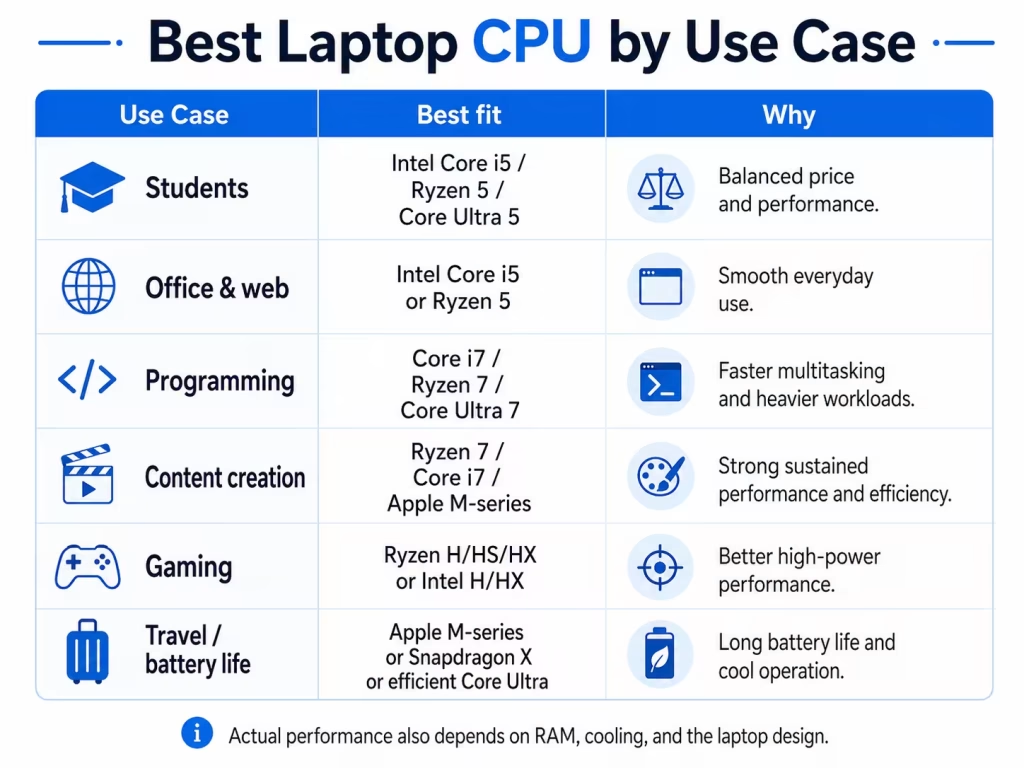
Best laptop CPU by use case
Everyday use
For browsing, email, office applications, streaming, and video calls, choose:
- Intel Core 5 or Core Ultra 5
- AMD Ryzen 5
- Apple standard M-series
- Qualcomm Snapdragon X
These provide enough performance for most users without paying for unnecessary high-end hardware.
Students
Most students should look for:
- Intel Core 5 or Core Ultra 5
- AMD Ryzen 5 or Ryzen AI 5
- Apple M-series
- Snapdragon X, when software compatibility is confirmed
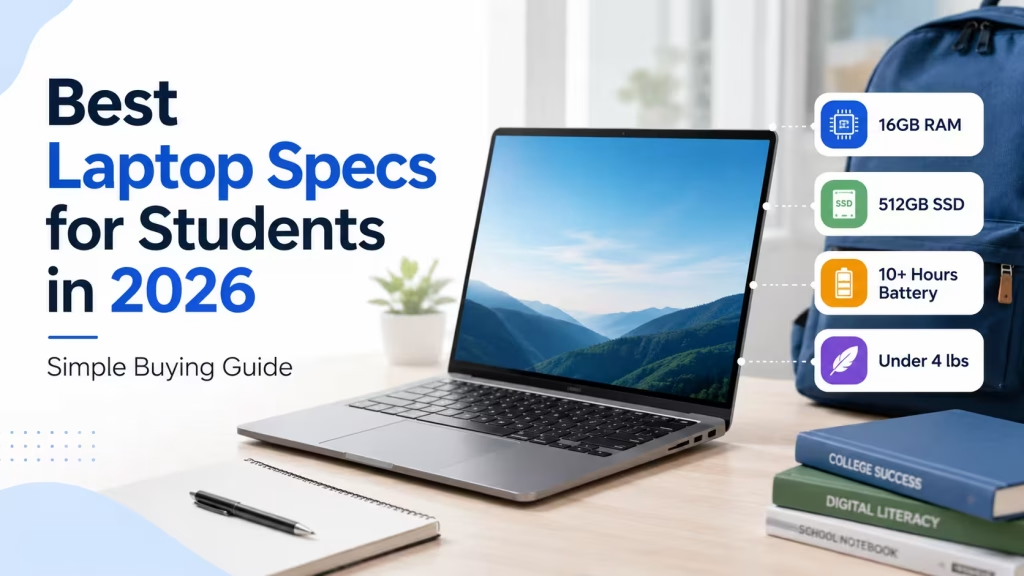
Also aim for at least 8GB of RAM, though 16GB is better for long-term use.
Read our guide to the best laptop specifications for students for more detail.
Gaming
For gaming, look for:
- Intel H or HX processor
- AMD HS, H, or HX processor
- Dedicated NVIDIA or AMD graphics
- At least 16GB of RAM
- Strong cooling
The graphics card usually affects gaming performance more than moving from one high-end CPU tier to another.
Video editing and creative work
Good choices include:
- Intel Core Ultra 7 or 9
- AMD Ryzen 7 or 9
- Apple M-series Pro or Max
- High-end Snapdragon systems, when all apps and plugins are compatible
For creative work, also consider the GPU, RAM, storage speed, and display quality.
Battery life
Processors that often appear in efficient laptops include:
- Apple M-series
- Qualcomm Snapdragon X
- Intel Core Ultra
- AMD Ryzen AI and U-series processors
Battery life still depends on the whole laptop, including screen brightness, battery size, cooling, and background software.
What is an NPU, and do you need one?
An NPU is a neural processing unit designed to handle certain AI-related tasks efficiently.
It may assist with:
- Background blur
- Noise reduction
- Eye-contact correction
- Local AI features
- Image enhancement
- Supported productivity tools
Intel Core Ultra, AMD Ryzen AI, Apple M-series, and Snapdragon X processors include dedicated AI acceleration in current models.
An NPU can be useful, but it does not automatically make a laptop faster in every task.
Learn more in our guide to what an NPU is in a laptop.
Processors to approach carefully
Be cautious when a product listing does not show the exact CPU model.
Descriptions such as these are too vague:
- Intel processor
- AMD processor
- Quad-core CPU
- Up to 3.5 GHz
- Latest-generation processor
Always look for the full processor name.
Older Intel Celeron, Pentium, AMD A-series, and similar entry-level processors may work for basic browsing, but they can struggle with multitasking.
Modern Intel N-series and comparable budget chips can be suitable for light use, but they should not be confused with Core-class processors.
Do not judge a CPU only by GHz or tier name
Clock speed alone does not determine performance.
Two processors running at the same GHz can perform very differently because of differences in:
- Architecture
- Core design
- Cache
- Cooling
- Power limits
- Number of cores
- Software optimization
The same is true for names such as Core 7 or Ryzen 7. A newer Core 5 may outperform an older Core i7, and a modern Ryzen 5 may be better than an older Ryzen 7.
Always compare the full model number and generation.
How to choose the right laptop CPU
Before buying, ask:
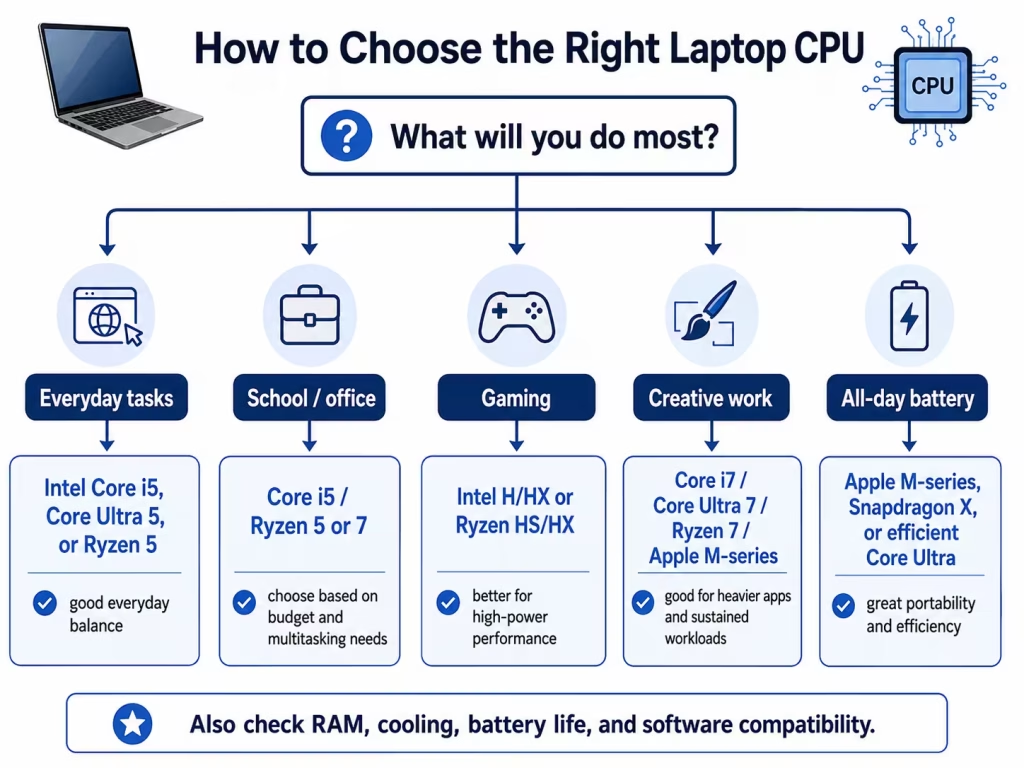
- Which operating system do I need?
- Which applications must run on the laptop?
- Do I prioritize battery life or maximum performance?
- Will I play games or edit video?
- Does the laptop have enough RAM and storage?
- Is the processor designed for efficiency or high performance?
Then compare complete laptops rather than CPUs in isolation.
You can browse laptops by processor in the LaptopStats catalog and compare models side by side.Or, if you already know which specifications matter most to you, use the Laptop Picker to narrow down your options.
Final recommendation
For most buyers, a modern midrange processor offers the best balance:
- Intel Core 5 or Core Ultra 5
- AMD Ryzen 5 or Ryzen AI 5
- Apple standard M-series
- Qualcomm Snapdragon X, when compatibility is confirmed
Choose Intel or AMD for the widest range of Windows laptops and software compatibility.
Choose Apple silicon for strong battery life, quiet performance, and macOS.
Choose Snapdragon when portability and battery life are priorities and your required Windows software is supported.
Most importantly, evaluate the entire laptop. A good processor cannot compensate for insufficient RAM, poor cooling, weak graphics, or a low-quality display.