Artificial intelligence is becoming one of the biggest laptop trends, and one term you will see more often in laptop specifications is NPU. Newer laptops may list an Intel AI Boost NPU, AMD Ryzen AI NPU, Qualcomm Hexagon NPU, or Apple Neural Engine. But what does that actually mean, and should you care when buying your next laptop?
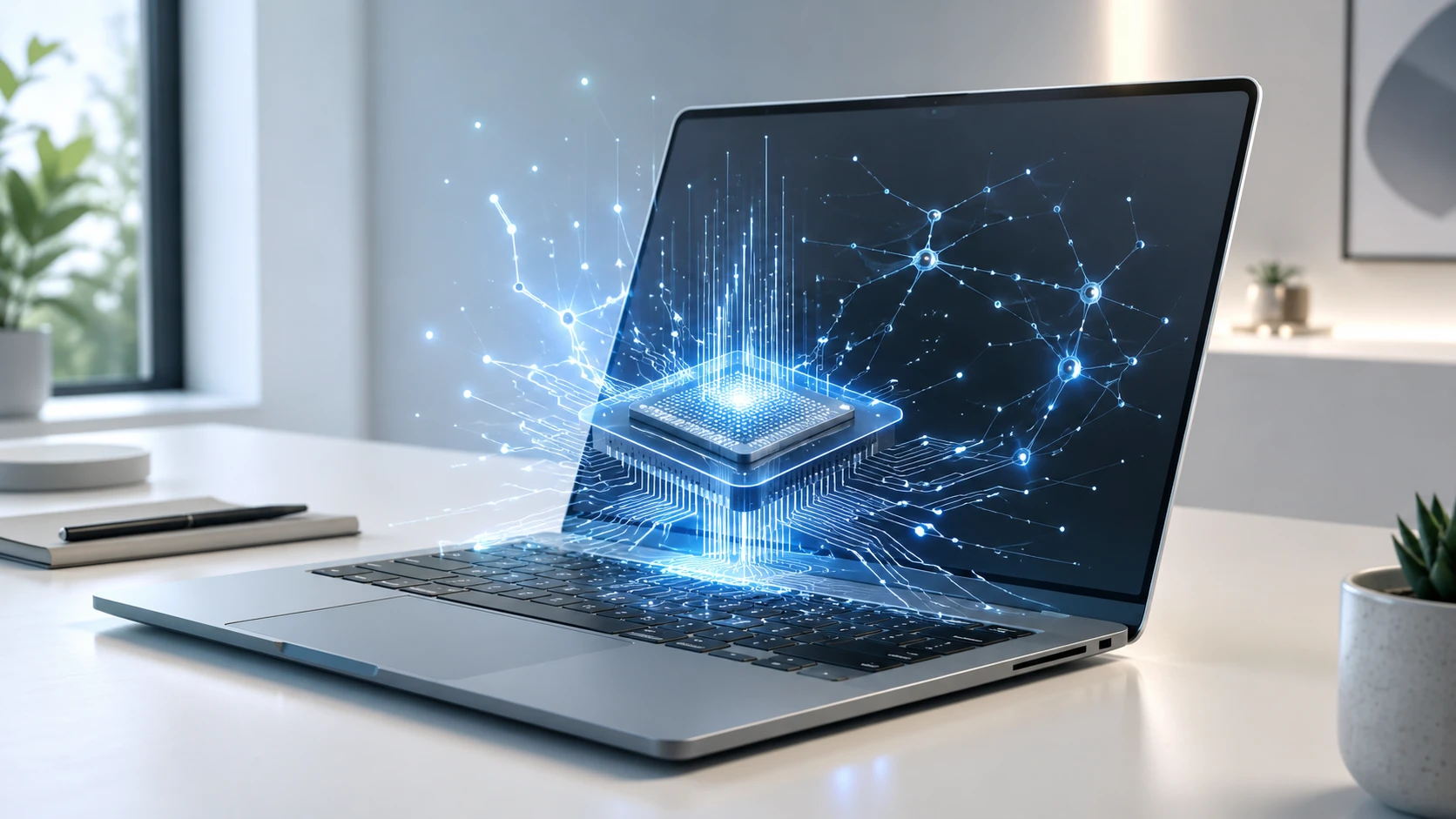
An NPU, short for Neural Processing Unit, is a specialized processor designed to handle AI and machine learning tasks more efficiently than a traditional CPU. In simple terms, it helps your laptop run certain AI features faster, smoother, and with less battery drain.
That does not mean every laptop buyer needs the most powerful NPU available. For everyday browsing, email, streaming, schoolwork, and office tasks, the CPU, RAM, storage, display, and battery life still matter more. But if you are shopping for a modern AI laptop, especially a Windows Copilot+ PC or a newer MacBook with Apple’s Neural Engine, the NPU is becoming an important spec to understand.
Quick answer: An NPU is a dedicated AI processor inside a laptop. It helps with on-device AI tasks like background blur, live captions, image generation, voice features, noise reduction, and future AI-powered apps.
What Does an NPU Do?
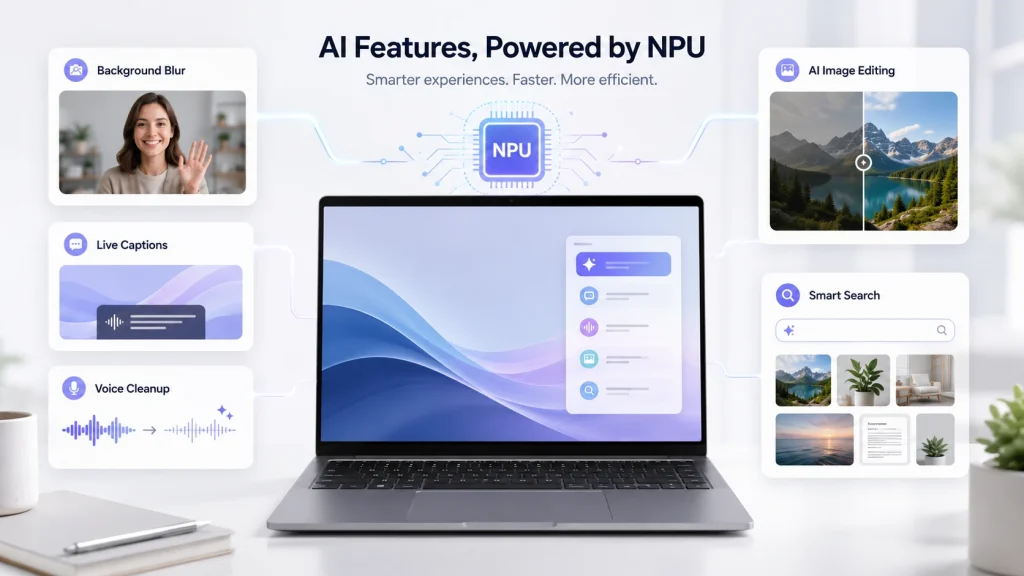
An NPU is built to process AI workloads. These workloads are different from normal tasks like opening a browser tab or saving a file. AI tasks often involve pattern recognition, prediction, language processing, image analysis, and large amounts of matrix math.
For laptop users, that can include features such as:
- Real-time background blur during video calls
- Eye contact correction
- Studio lighting effects
- Voice cleanup and noise cancellation
- Live captions and translation
- AI-powered photo editing
- Local AI assistants
- Smart search inside files and apps
- On-device image generation
- Battery-efficient AI processing
The biggest benefit is that these tasks can run locally on the laptop instead of relying only on cloud servers. That can improve speed, privacy, and battery life, depending on the app.
For example, if your laptop can remove background noise during a video call using the NPU, the CPU and GPU can stay free for other tasks. This can help the laptop feel smoother and may reduce power usage compared with running the same feature entirely through the CPU or GPU.
CPU vs GPU vs NPU: What Is the Difference?
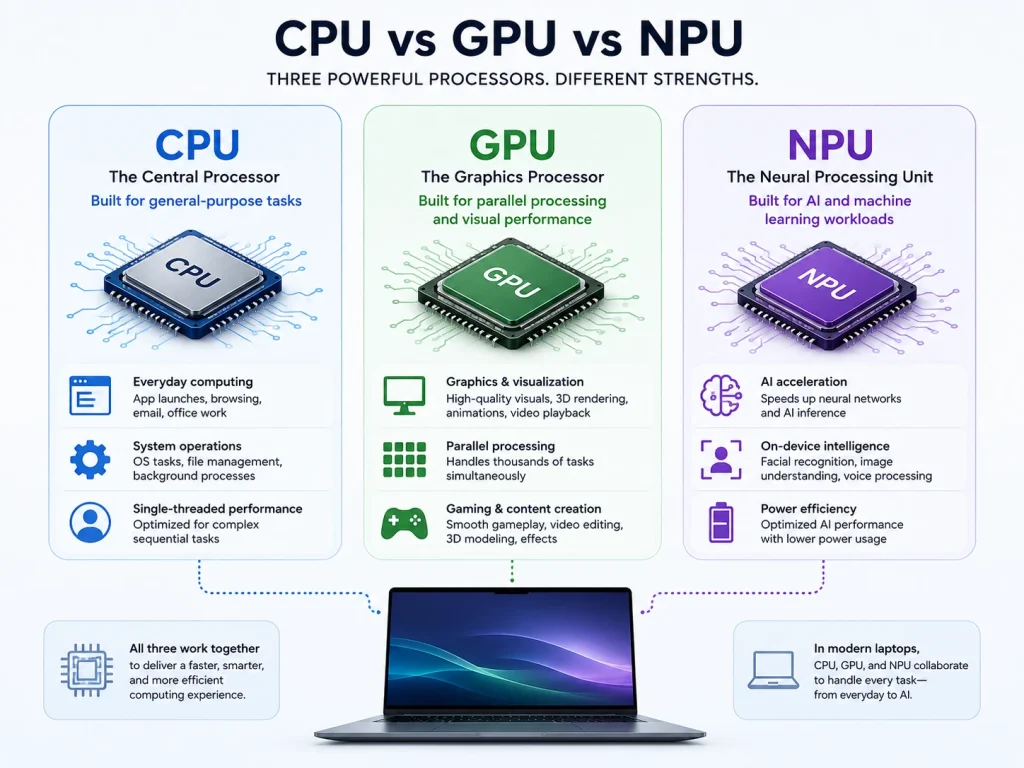
Most laptops already have a CPU and a GPU, so it is fair to ask why they need another processor.
The CPU, or Central Processing Unit, is the main general-purpose processor. It handles everyday computing tasks, operating system work, browser activity, apps, spreadsheets, file management, and many background processes. It is flexible and important for almost everything.
The GPU, or Graphics Processing Unit, is built for graphics and parallel processing. It is especially important for gaming, 3D work, video editing, rendering, and some AI workloads. Dedicated GPUs, such as NVIDIA GeForce RTX graphics, are still much more important than NPUs for gaming and heavy creative work.
The NPU is more specialized. It is designed for AI and neural network tasks. It may not replace the CPU or GPU, but it can make certain AI features more efficient.
| Processor | Best For | Why It Matters |
| CPU | General laptop performance | Controls everyday speed and responsiveness |
| GPU | Graphics, gaming, video, rendering | Important for visual and creative performance |
| NPU | AI features and machine learning tasks | Runs AI workloads more efficiently |
A good way to think about it: the CPU is the all-purpose worker, the GPU is the graphics and parallel-processing powerhouse, and the NPU is the AI-focused assistant.
What Does TOPS Mean for an NPU?
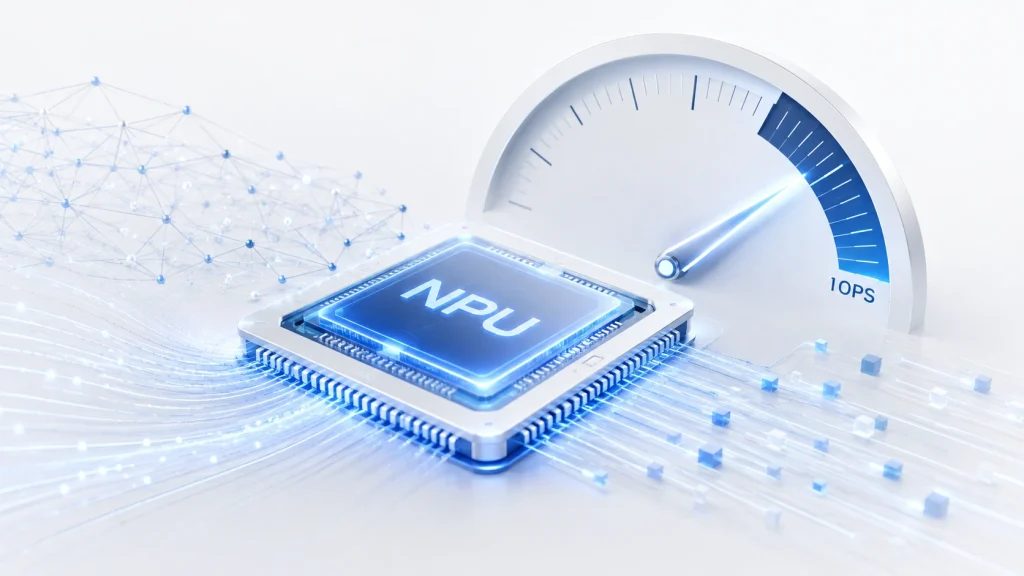
When comparing NPUs, you may see the term TOPS, which stands for trillions of operations per second. It is a performance measurement used to describe how many AI-related operations a processor can theoretically perform.
For modern AI laptops, TOPS has become one of the most visible NPU specs. Microsoft’s Copilot+ PC requirements include an NPU capable of 40+ TOPS, along with at least 16GB of RAM and 256GB of storage. That is why many newer laptop processors are advertised around this number.
For example, Qualcomm lists the Snapdragon X Elite as having an NPU with up to 45 TOPS of AI performance. Microsoft also lists compatible Copilot+ PC processor families such as AMD Ryzen AI 300/400, Intel Core Ultra 200V/300V, and Snapdragon X series.
However, TOPS should not be the only spec you look at. Just like CPU clock speed does not tell the whole story, NPU TOPS does not guarantee that every AI app will run perfectly. Software support, drivers, memory, thermals, and app optimization all matter.
Buying tip: If you specifically want a Windows Copilot+ PC, look for a laptop with a 40+ TOPS NPU, 16GB RAM, and at least 256GB storage.
Do You Need an NPU in a Laptop?
For many buyers, the honest answer is: not always.
If you mostly use your laptop for web browsing, email, video streaming, basic schoolwork, and Microsoft Office, you do not need to prioritize the NPU above everything else. A laptop with a strong CPU, enough RAM, a good SSD, and a quality display will still be the better choice.
You should care more about the NPU if you want:
- A Windows Copilot+ PC
- Better on-device AI features
- AI-assisted productivity tools
- Local AI processing instead of cloud-only features
- Better video call effects with less battery drain
- A more future-ready laptop
- AI creative tools for photos, audio, and video
The NPU is also more important if you plan to keep your laptop for several years. AI features are likely to become more common in Windows, macOS, and third-party apps. A laptop with a capable NPU may age better as more software begins to use local AI acceleration.
Which Laptop Processors Have NPUs?
Many newer processors now include some type of NPU or AI accelerator. The naming depends on the brand. The naming depends on the brand, but the purpose is similar: to help the laptop handle AI-related tasks more efficiently.
Intel Laptops
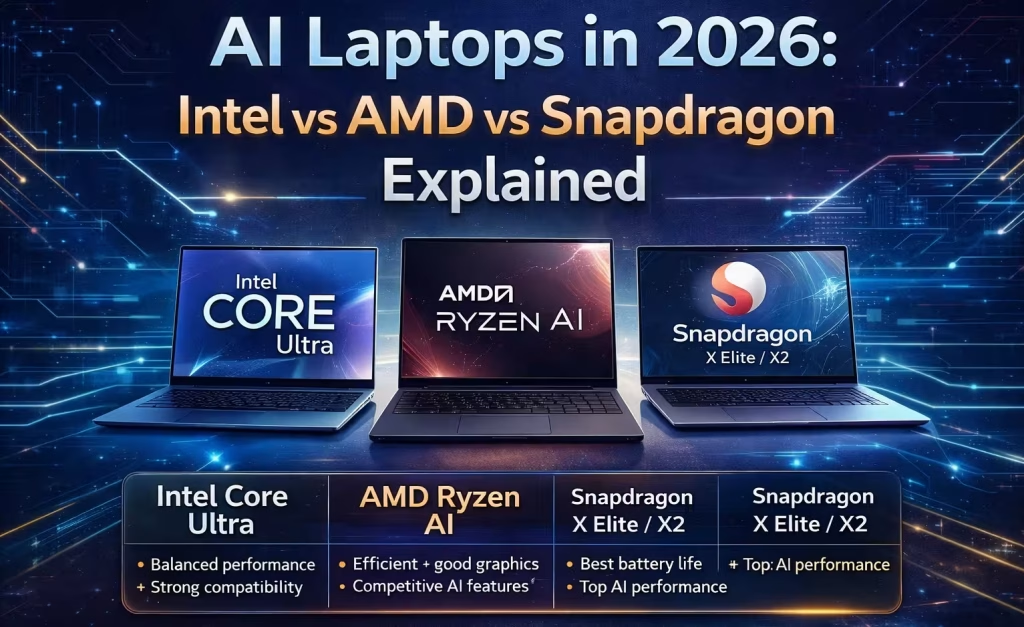
Newer Intel Core Ultra processors may include an NPU, often referred to as Intel AI Boost. These chips combine CPU, GPU, and NPU resources to support AI workloads such as background blur, noise reduction, smart search, and other on-device AI features.
Browse Intel laptops with an NPU to compare models with Intel processors
AMD Laptops
AMD uses Ryzen AI branding for processors with dedicated AI hardware. Newer Ryzen AI chips are designed for modern AI PCs and can help with local AI features, creative tools, video-call effects, and future AI-powered apps.
Browse AMD laptops with an NPU to compare Ryzen-based models
Qualcomm Snapdragon Laptops
Qualcomm Snapdragon laptop processors use a dedicated Hexagon NPU. Snapdragon-based laptops often focus on portability, battery life, quiet performance, and on-device AI features, making them common in thin and light AI laptop designs.
Browse Qualcomm Snapdragon laptops with an NPU to compare models
Apple MacBooks
Apple Silicon chips include a dedicated Neural Engine, which is Apple’s version of an NPU. It helps accelerate machine learning tasks across macOS, including photo processing, speech features, smart suggestions, and other AI-assisted workflows.
Browse Apple laptops with a Neural Engine to compare MacBook models
NPU Performance vs Real Laptop Performance
It is easy to get caught up in AI marketing, but an NPU is only one part of the full laptop experience.
A laptop with a strong NPU but limited RAM may still struggle with heavy multitasking. A laptop with a good NPU but weak graphics may not be ideal for gaming. A laptop with great AI performance but a low-quality display may not be the best choice for creative work.
When comparing laptops, look at the full spec sheet:
- Processor model
- NPU type and TOPS rating
- RAM capacity
- SSD storage
- Display resolution and panel type
- Battery size
- Weight
- Ports
- Graphics performance
- Operating system
- Price
For example, a lightweight AI laptop may be excellent for students, travel, and productivity, while a gaming laptop with a dedicated GPU may still be better for demanding graphics workloads, even if its NPU is weaker.
Should You Buy an AI Laptop Now?
If you are buying a premium laptop in 2026, it makes sense to consider one with a capable NPU. AI features are becoming more common, and laptops with stronger NPUs are more likely to support future on-device AI tools.
For Windows buyers, a Copilot+ PC-class laptop is worth considering if you want the latest AI features and longer-term software support. For Mac buyers, Apple’s Neural Engine is already part of the Apple Silicon ecosystem, so the question is less about whether the laptop has an NPU and more about which chip, RAM, and storage configuration fits your needs.
That said, budget buyers should not overpay just for the word “AI” in the product name. If a cheaper laptop has better RAM, storage, display quality, or battery life, it may still be the better everyday choice.
Final Thoughts
An NPU is one of the most important new laptop specs to understand, especially as AI features become more common in Windows and macOS. It is a dedicated processor for AI tasks, helping laptops run features like live captions, background blur, voice cleanup, smart search, and local AI tools more efficiently.
But the NPU should not be viewed in isolation. For most people, the best laptop is still the one with the right balance of CPU performance, RAM, storage, battery life, display quality, and price. A strong NPU is a bonus today and may become more important over time.
You can also browse all laptops with an NPU if you want to compare AI-ready laptops across all processor brands.