AI laptops are everywhere in 2026. From Microsoft Copilot+ PCs to new processors promising “on-device AI,” manufacturers are pushing this as the next big thing. But here’s the real question: do you actually need an AI laptop?
In this guide, we break down what AI laptops really are, compare Intel, AMD, and Snapdragon platforms, and help you decide whether upgrading makes sense right now.
Quick Tip: You can browse and compare all AI-ready models here → Compare AI laptops on LaptopStats
Quick Answer: An AI laptop is worth buying in 2026 if you want better battery life, stronger video-call features, local AI tools, and a more future-ready laptop. For most buyers, look for 16GB RAM, 512GB SSD, a modern Intel Core Ultra, AMD Ryzen AI, or Snapdragon X processor, and an NPU with strong on-device AI support.
What Is an AI Laptop?
An AI laptop is a laptop designed to run certain artificial intelligence tasks more efficiently, often using a dedicated NPU, or Neural Processing Unit. The NPU is a special chip built to handle AI workloads locally on the laptop instead of sending everything to cloud servers.
That does not mean the laptop is “smart” by itself. It still uses a normal processor, memory, storage, and graphics hardware. The difference is that an AI laptop has extra hardware designed for features like live captions, background blur, noise reduction, AI image tools, document summaries, and on-device assistants.
CPU vs GPU vs NPU: What Is the Difference?
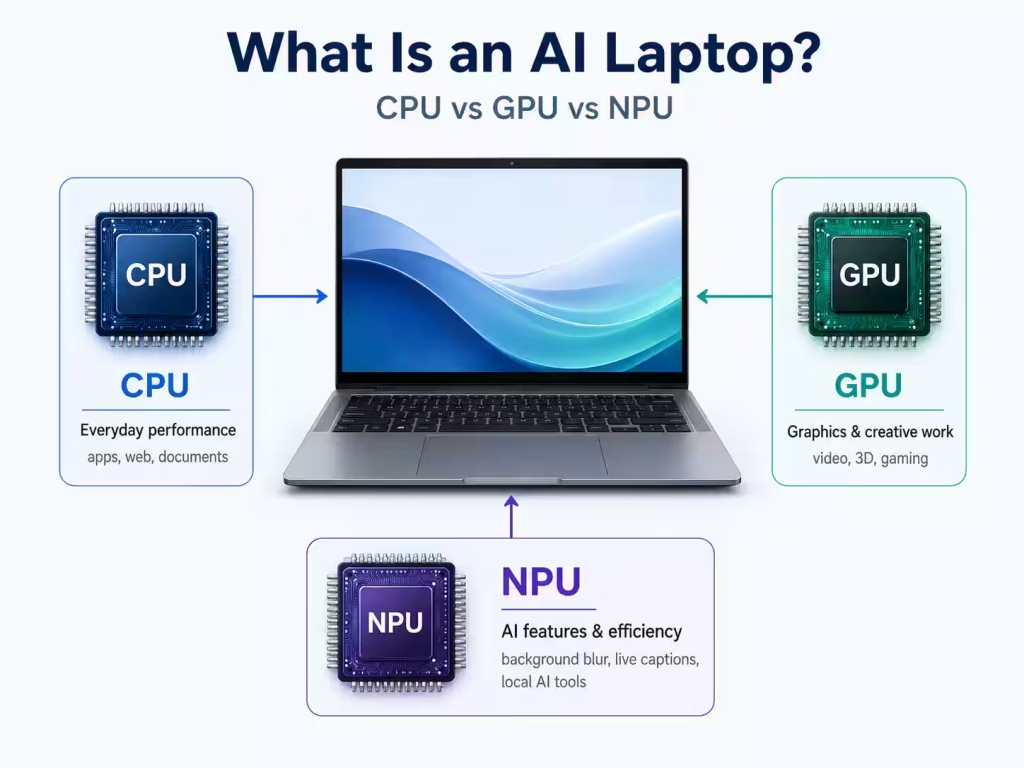
Modern laptops can use three different types of processors for different jobs:
- CPU: The main processor. It handles everyday tasks like opening apps, browsing the web, writing documents, and running Windows or macOS.
- GPU: The graphics processor. It helps with visuals, gaming, video editing, 3D work, and some creative or AI workloads.
- NPU: The AI processor. It is built for efficient AI tasks such as webcam effects, speech recognition, local AI tools, and background productivity features.
The easiest way to think about it is this: the CPU is for general performance, the GPU is for graphics and heavy visual work, and the NPU is for efficient AI features that can run quietly in the background.
Also check What is an NPU in a Laptop?
Why Does an NPU Matter?
An NPU can make AI features faster and more power-efficient. Instead of using the CPU for every AI task, the laptop can move some of that work to the NPU. This may help improve battery life, reduce heat, and keep the laptop responsive while AI features are running.
For example, during a video call, the NPU may help with background blur, automatic framing, eye contact correction, and noise reduction. Because those tasks can run locally, they may use less power than running everything through the main processor.
Does an AI Laptop Work Without the Internet?
Some AI features can work locally without sending your data to the cloud. This can be useful for privacy and speed. However, not every AI feature runs fully on the laptop. Many tools still depend on cloud processing, especially large AI chatbots, advanced image generation, and web-connected assistants.
That is why you should not buy a laptop only because it has an “AI” label. The best AI laptops in 2026 still need strong basic specs, including enough RAM, fast SSD storage, good battery life, and a comfortable display.
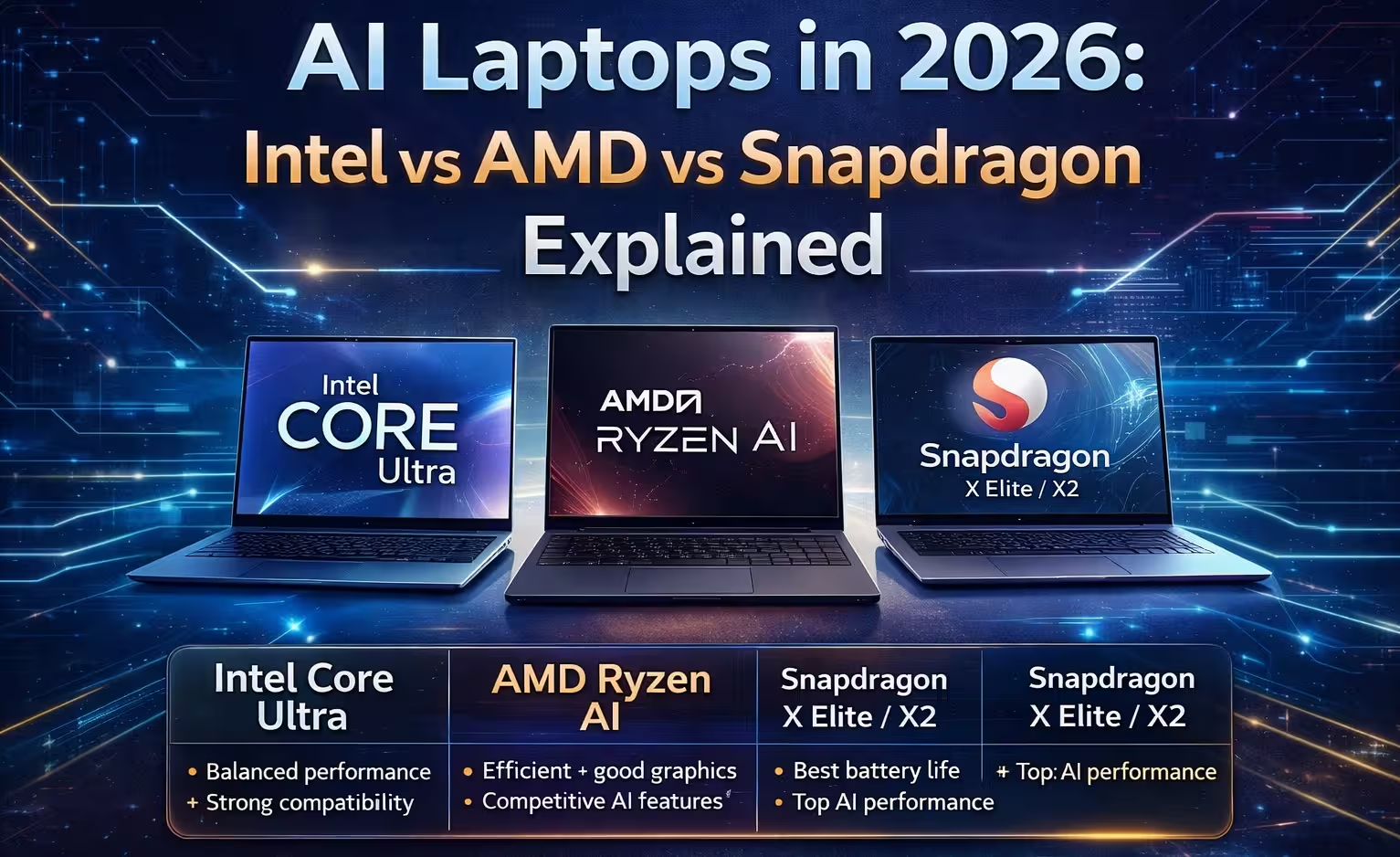
Intel vs AMD vs Snapdragon: The 3 AI Laptop Platforms
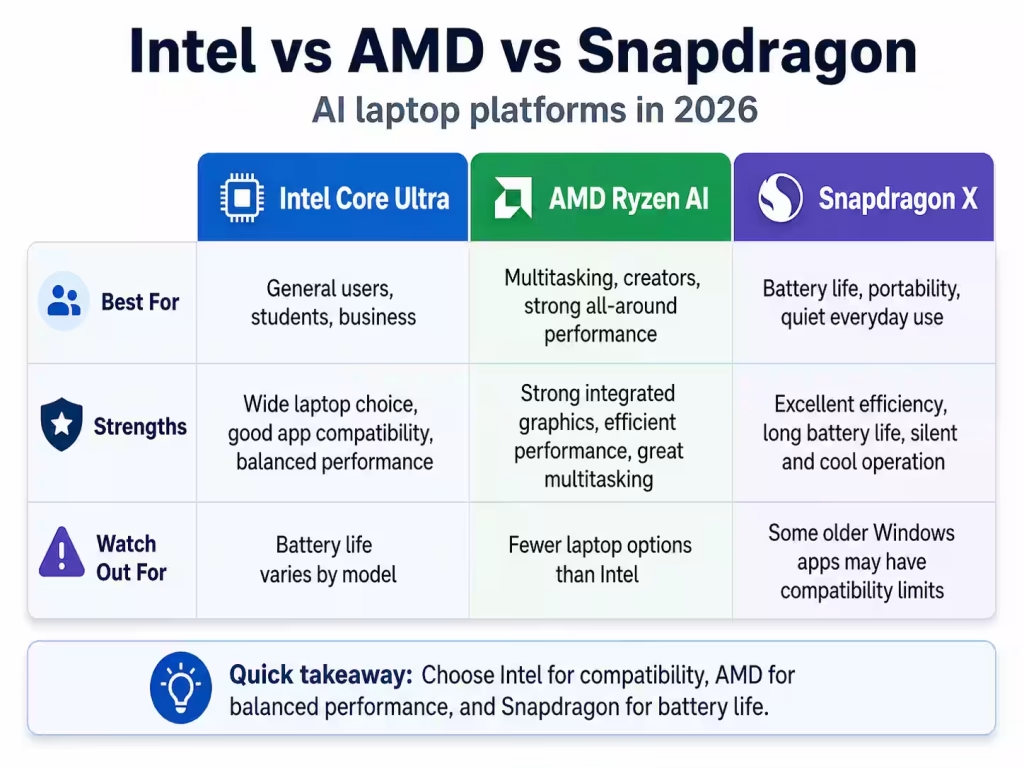
In 2026, there are three major players dominating the AI laptop space. Each one takes a slightly different approach.
Intel Core Ultra
- Strong compatibility with Windows apps
- Balanced CPU + AI performance
- Widely available across brands
Best for: General users, business, compatibility
AMD Ryzen AI
- Excellent efficiency
- Strong integrated graphics
- Competitive AI performance
Best for: Multitasking, light gaming, creators
Snapdragon X Elite / X2
- Best battery life
- Highest AI performance per watt
- ARM-based architecture
Best for: Portability, battery life, AI-first workflows
Want to filter laptops by processor? → Intel | AMD | Snapdragon
What NPU Performance Means
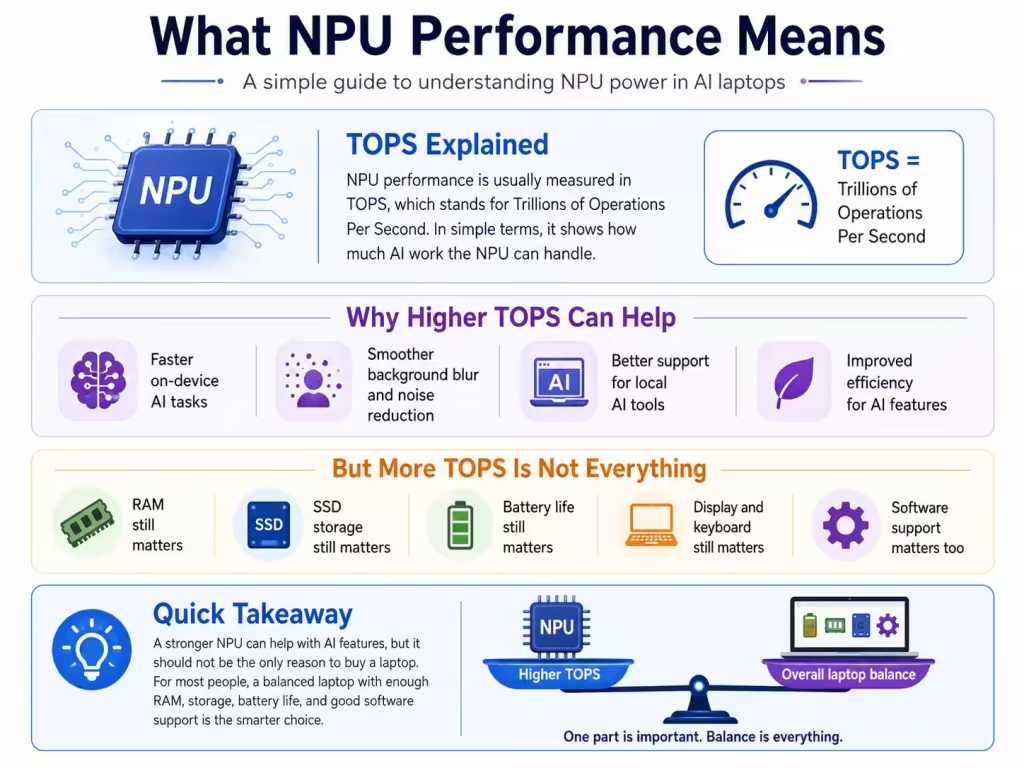
NPU performance is usually measured in TOPS, or trillions of operations per second.
A higher TOPS number can help with local AI features, but it should not be the only spec you check. RAM, storage, battery life, display quality, and software support still matter more for most buyers.
AI Laptop Specs to Look for in 2026
When shopping for an AI laptop in 2026, do not focus only on the AI label. A good AI laptop should still have strong everyday specs, enough memory, fast storage, good battery life, and reliable software support. The NPU is important, but it is only one part of the laptop.
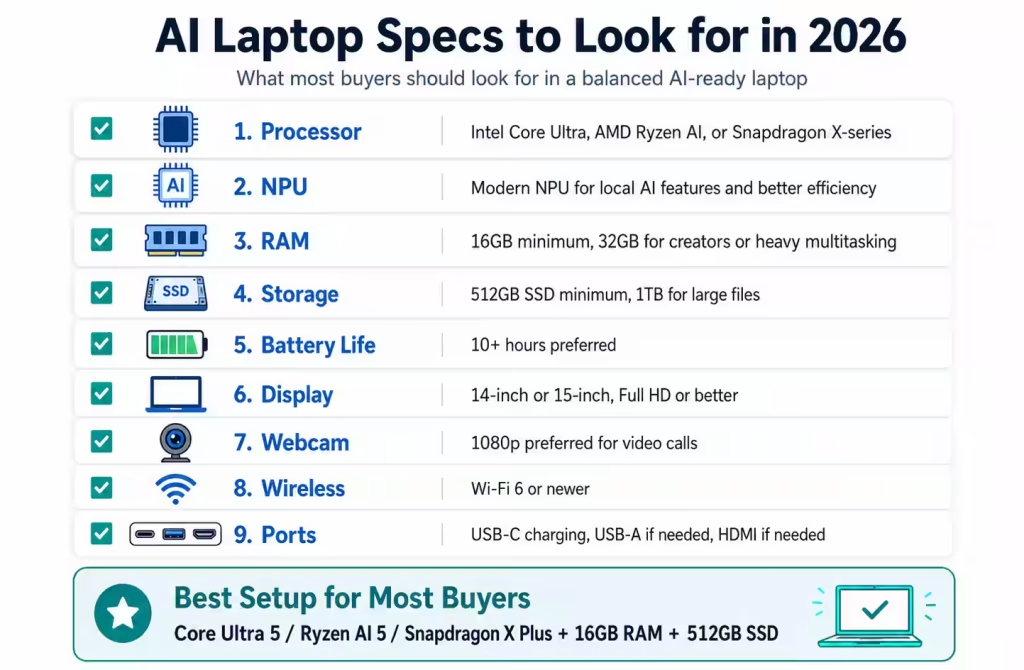
For most people, the best AI laptop specs in 2026 are:
- Processor: Intel Core Ultra, AMD Ryzen AI, or Snapdragon X-series
- NPU: A modern NPU for local AI features and better efficiency
- RAM: 16GB minimum for most users, 32GB for creators or heavy multitasking
- Storage: 512GB SSD minimum, 1TB if you work with large files
- Battery life: 10+ hours preferred for school, travel, and work
- Display: 14-inch or 15-inch screen with Full HD or better resolution
- Webcam: 1080p webcam preferred for video calls and online meetings
- Wireless: Wi-Fi 6 or newer for faster and more reliable connections
- Ports: USB-C charging, USB-A if needed, HDMI if you connect to monitors or projectors
Best Specs for Most AI Laptop Buyers
For most students, office users, and everyday buyers, a laptop with a modern Intel Core Ultra 5, AMD Ryzen AI 5, or Snapdragon X Plus processor, 16GB of RAM, and a 512GB SSD is a smart starting point. This type of laptop should feel smooth for web browsing, documents, video calls, research, streaming, and common AI-powered features.
If you want a laptop that feels more future-ready, choose 32GB of RAM
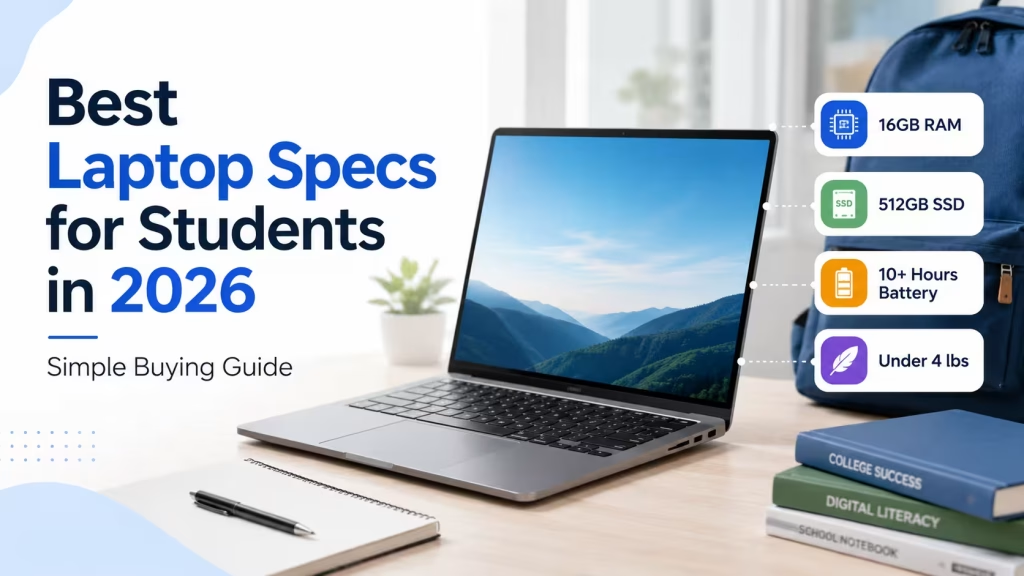
Check Best Laptop Specs for Students (2026 Buying Guide)
Do Not Buy Based on NPU Alone
A stronger NPU can help with AI features, but it should not be the only reason you choose a laptop. A laptop with a good NPU but only 8GB of RAM or a small 256GB SSD may still feel limited. For most buyers, balanced specs are more important than the highest AI performance number.
See latest deals → Browse laptop deals
Real Benefits of AI Laptops
While the marketing is heavy, there are some real advantages to AI-powered laptops — especially if you choose the right model.
Better Battery Life
AI chips like Snapdragon dramatically improve efficiency, meaning you can get all-day battery life without sacrificing performance.
Faster Everyday Tasks
Tasks like video calls, photo editing, and transcription are noticeably faster when handled locally by the NPU.
Built-in AI Features
- Windows Copilot integration
- Auto framing and noise reduction in video calls
- AI-powered search and summaries
Improved Privacy
Since many AI tasks run locally, your data stays on your device instead of being sent to the cloud.
The Downsides (What Nobody Tells You)
AI laptops are not perfect — and in many cases, you may not need one yet.
Limited Real-World Use
Most users won’t fully utilize the NPU today. Many apps still rely on cloud-based AI.
Software Compatibility (Snapdragon)
ARM-based laptops can still have issues with older Windows apps, especially niche software.
Higher Prices
AI laptops often come at a premium compared to traditional models with similar specs.
Who Should Buy an AI Laptop?
Good Fit
- Students using AI tools daily
- Remote workers (video calls, productivity)
- Content creators (photo/video editing)
Not Necessary
- Gamers (GPU still matters more)
- Basic users (web browsing, email)
- Budget buyers
Final Verdict: Are AI Laptops Worth It in 2026?
AI laptops are clearly the future — but they’re not essential for everyone yet.
If you value battery life, cutting-edge features, and future-proofing, they’re a great investment. But if you’re just browsing, streaming, or gaming, a traditional laptop will still serve you perfectly well.
Bottom line: AI laptops are exciting, but only worth it if you’ll actually use the AI features.