
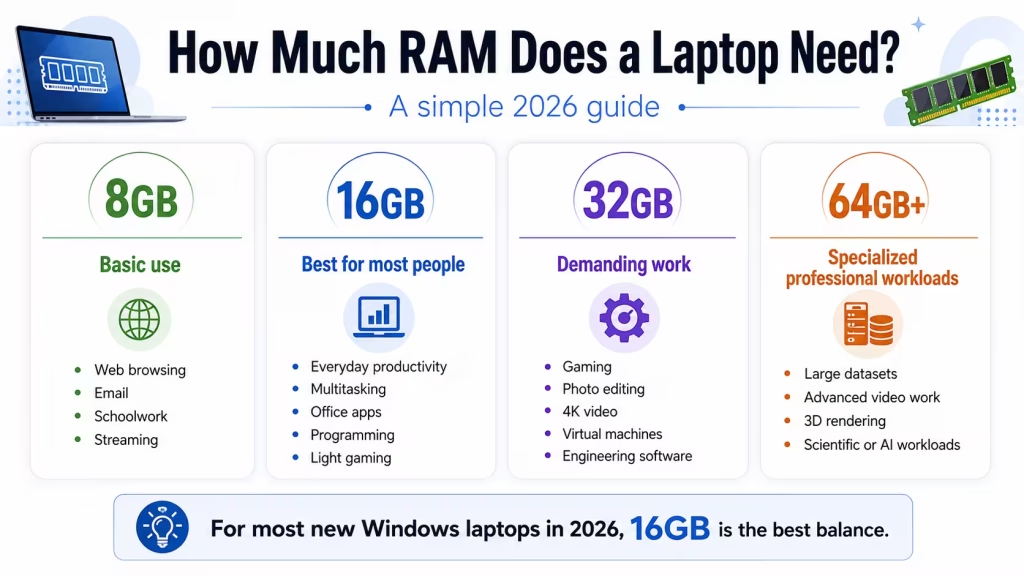
The amount of RAM a laptop needs depends on what you plan to do with it. For basic browsing and schoolwork, 8GB may still be enough. For most people buying a new Windows laptop in 2026, 16GB is the best overall choice. Gaming, video editing, engineering software, and other demanding workloads may require 32GB or more. RAM—short for random access memory—temporarily holds the information your operating system and applications are actively using. More RAM allows a laptop to keep more browser tabs, programs, and files open without slowing down or relying heavily on storage.
Quick recommendation
For most buyers:
| Type of use | Recommended RAM |
|---|---|
| Basic browsing and email | 8GB |
| School and everyday productivity | 8–16GB |
| General Windows laptop | 16GB |
| Heavy multitasking | 16–32GB |
| Gaming | 16GB minimum; 32GB preferred for demanding use |
| Photo editing | 16–32GB |
| Video editing | 16–32GB or more |
| Engineering, virtual machines, large datasets | 32–64GB |
| Basic Chromebook | 8GB |
| Chromebook Plus | 8GB or more |
For most people, 16GB provides the best balance of price, performance, and useful life.
What is RAM?
RAM is the laptop’s short-term working memory.
When you open a browser, document, application, or game, the laptop loads the information it needs into RAM. RAM is much faster to access than the internal storage drive, allowing the processor to work efficiently.
When available RAM becomes full, the operating system may move some data to the SSD. This helps prevent applications from immediately closing, but storage is slower than RAM, so the laptop may begin to feel less responsive.
Common signs of insufficient RAM include:
- Delays when switching between applications
- Browser tabs reloading
- Programs becoming unresponsive
- Slow performance during video calls
- Stuttering while editing large files
- Heavy SSD activity during multitasking
Adding more RAM does not make every task faster, but it can improve responsiveness when your workload exceeds the available memory.
Is 4GB of RAM enough?
For a new Windows laptop, I do not recommend 4GB of RAM.
Microsoft lists 4GB as the minimum required to install Windows 11, but minimum requirements only indicate that the operating system can run. They do not guarantee a comfortable experience with browser tabs, updates, security software, video calls, and modern applications.
A 4GB laptop may be usable for:
- Very light web browsing
- One or two simple applications
- Basic document viewing
- A tightly controlled school or kiosk environment
However, it is likely to struggle with normal multitasking. Avoid buying a new Windows laptop with only 4GB unless the memory can be upgraded immediately.
Some inexpensive Chromebooks still include 4GB, and ChromeOS may handle light browser-based use more efficiently. Even so, 8GB is a better choice for multiple tabs, Android applications, and longer useful life.
Is 8GB of RAM enough?
Eight gigabytes remains usable for light and moderate computing.
It is generally sufficient for:
- Web browsing
- Microsoft Word or Google Docs
- Streaming
- Video calls
- Basic schoolwork
- Simple spreadsheets
- Lightweight photo editing
- ChromeOS
An 8GB laptop can work well when you use only a few applications at a time. It becomes more limiting when you open many browser tabs, run Teams or Zoom alongside office programs, edit large files, or keep multiple applications open throughout the day.
Choose 8GB when:
- Your budget is limited
- Your workload is light
- The laptop is a Chromebook
- The RAM can be upgraded later
Is 16GB of RAM enough?
For most laptop buyers, 16GB is the recommended amount.
It provides enough room for:
- Many browser tabs
- Microsoft Office
- Teams, Zoom, or Slack
- General school and office work
- Programming
- Moderate photo editing
- Everyday gaming
- Light video editing
- Running several applications simultaneously
For many users, increasing memory from 8GB to 16GB makes more practical sense than paying extra for a slightly faster processor.
You can read Which Is Better: More RAM or a Faster CPU? for a more detailed comparison.
Who needs 32GB of RAM?
32GB is useful for demanding workloads and users who regularly keep many large applications open.
Consider 32GB for:
- High-end gaming while streaming
- Professional photo editing
- 4K video projects
- Large programming projects
- Virtual machines
- CAD and engineering software
- Music production with large sample libraries
- Large spreadsheets and datasets
- Heavy multitasking
- Local AI applications
Adobe lists 8GB as a baseline for Premiere Pro and recommends more memory for higher-resolution or more complex media workflows; 16GB is commonly recommended for HD media, with larger projects benefiting from additional memory.
Not every user will notice a difference between 16GB and 32GB. The advantage appears when applications actually need more than 16GB.
Is 64GB of RAM necessary?
Most people do not need 64GB.
It is mainly intended for specialized work such as:
- Multiple virtual machines
- Professional 4K or 8K video production
- Large engineering simulations
- Extensive software development environments
- Scientific computing
- Large local databases
- Complex 3D rendering
- Advanced local AI models
A laptop with 64GB may be worthwhile when your professional software regularly approaches or exceeds 32GB. Otherwise, the money may be better spent on a stronger processor, GPU, display, or larger SSD.
How much RAM do students need?
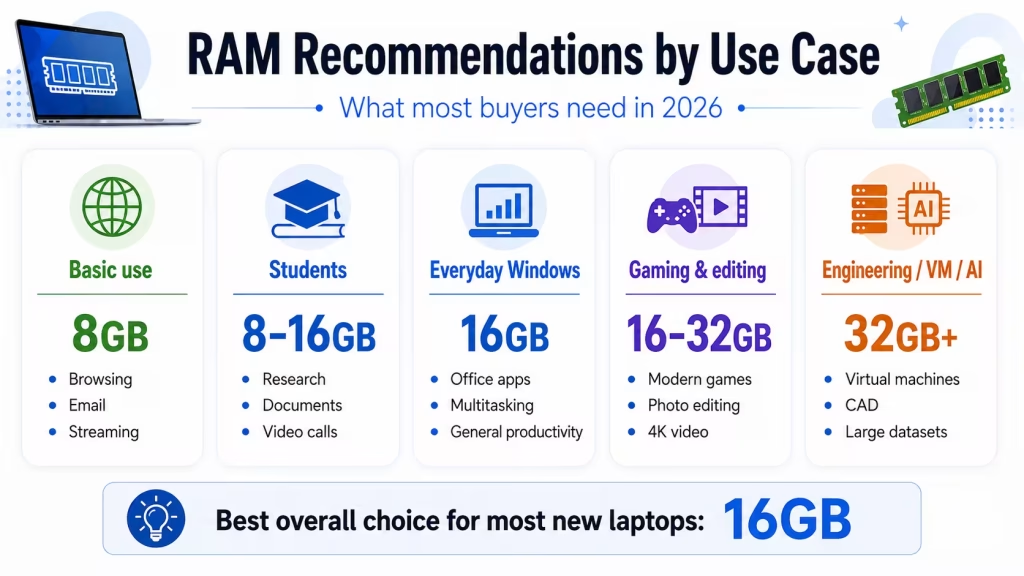
For most students:
- 8GB: Basic schoolwork and browser-based learning
- 16GB: Best general recommendation
- 32GB: Engineering, architecture, media production, advanced programming, or virtual machines
A student using documents, presentations, online classes, and research websites can manage with 8GB. However, 16GB provides more room for multitasking and is a safer choice for a laptop expected to last through several years of study.
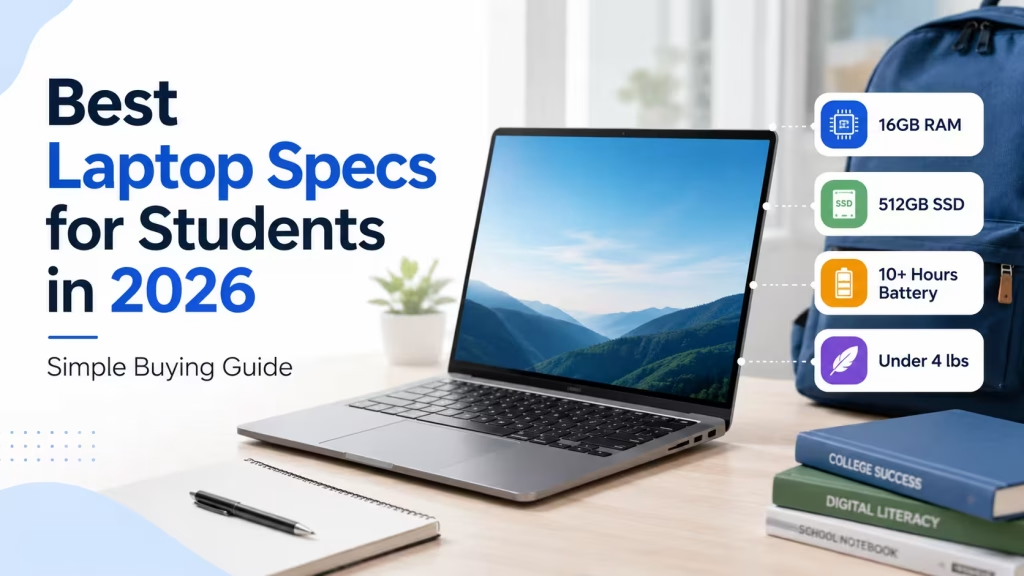
Check our Best Laptop Specs for Students guide for recommendations covering processors, storage, displays, and battery life.
How much RAM do you need for gaming?
For modern gaming laptops:
- 8GB: Too limited for many current games
- 16GB: Practical minimum for most gaming
- 32GB: Better for demanding games, streaming, modifications, and background applications
- 64GB: Rarely necessary for gaming alone
The GPU has a greater impact on game performance than increasing memory beyond what the game needs. A laptop with 16GB and a stronger graphics card is normally a better gaming choice than one with 32GB and a much weaker GPU.
Before buying, also check whether the memory operates in dual-channel mode and whether it can be upgraded.
How much RAM do you need for photo and video editing?
For photo editing:
- 8GB can handle basic edits
- 16GB is better for larger images and multiple applications
- 32GB is useful for large RAW files, layered projects, and professional workflows
For video editing:
- 16GB can be sufficient for lighter HD projects
- 32GB is preferable for 4K footage and complex timelines
- 64GB may help with high-resolution professional projects and several creative applications running together
RAM is only one factor. The processor, GPU, storage speed, media format, and software optimization also affect editing performance.
How much RAM does a Chromebook need?
For a Chromebook:
- 4GB: Very basic use
- 8GB: Recommended for most users
- 16GB: Heavy browser multitasking, Linux tools, development, and longer useful life
Chromebook Plus models require at least 8GB of RAM, along with 128GB of storage and other higher hardware standards.
You can browse Chromebooks in the LaptopStats catalog to compare current memory and storage configurations.
Unified memory versus traditional RAM
Apple laptops and some other highly integrated systems use unified memory.
Unified memory is shared by the CPU, GPU, and other parts of the system rather than assigning separate memory pools to each component. This can be efficient, but the advertised capacity is still limited.
An 8GB unified-memory laptop does not magically have the same capacity as a 16GB system. Software optimization can improve how efficiently memory is used, but demanding applications still benefit from additional capacity.
Because memory in modern MacBooks is not upgradeable after purchase, consider 16GB or more when you plan to keep the laptop for many years or use demanding applications.
Can laptop RAM be upgraded?
Some laptops allow RAM upgrades, while others have memory permanently soldered to the motherboard.
Upgradeability is common in:
- Larger gaming laptops
- Mobile workstations
- Some business laptops
- Selected repairable models
It is less common in:
- MacBooks
- Thin ultrabooks
- Many 2-in-1 laptops
- Snapdragon laptops
- Some budget models
Before buying, check:
- Whether the RAM is soldered
- Whether there are open memory slots
- The maximum supported capacity
- Whether upgrading affects the warranty
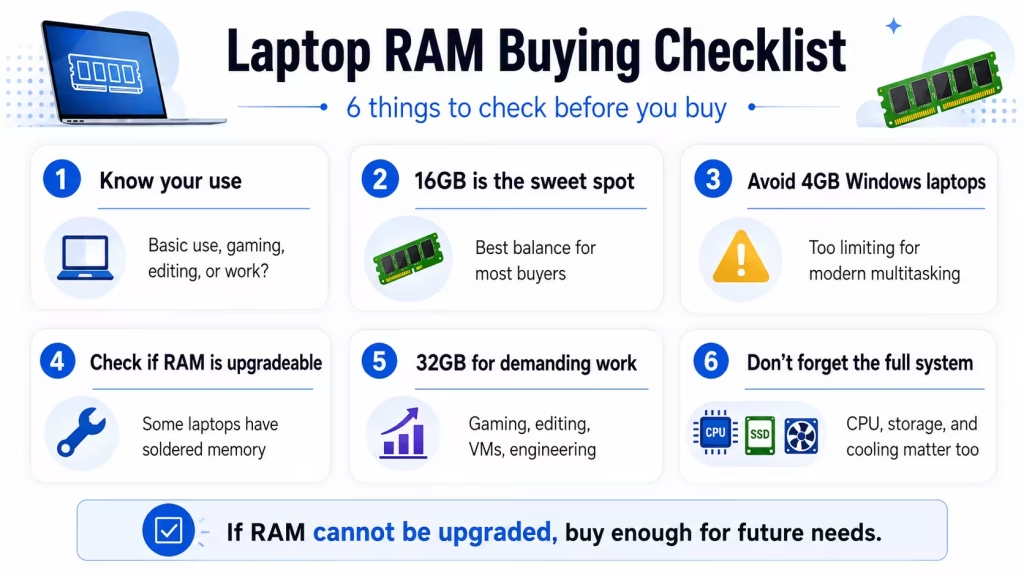
When memory is not upgradeable, buy enough for your expected future needs at the time of purchase.
Does RAM speed matter?
RAM speed can affect performance, particularly for laptops that rely on integrated graphics. However, capacity is usually more important than a small speed difference.
In most cases:
- 16GB of slightly slower RAM is better than 8GB of faster RAM
- Dual-channel memory may improve integrated graphics performance
- The laptop determines which RAM type and speed it supports
- Soldered LPDDR memory can be efficient but is not upgradeable
Do not choose a laptop based on RAM speed alone.
Final recommendation
For a laptop purchased in 2026:
- Avoid 4GB Windows laptops
- Choose 8GB only for basic use, limited budget or Chromebook
- Choose 16GB for the best balance for most people
- Choose 32GB for gaming, creative work, engineering, virtual machines, or heavy multitasking
- Choose 64GB only for specialized professional workloads
The safest recommendation for the average buyer is 16GB of RAM.
Also consider whether the memory is upgradeable. A lower-cost laptop with replaceable RAM may offer better long-term value than a sealed system that cannot be expanded.
The right amount of memory depends on how you use your laptop, but 16GB is the best choice for most buyers. You can compare models with 8GB of RAM, 16GB of RAM, or 32GB of RAM, or use the Laptop Picker to narrow the results by all major specifications.