Choosing between integrated and discrete graphics for your laptop is a decision that significantly impacts its performance, suitability for tasks, and overall user experience. Both integrated and discrete graphics solutions have their strengths and limitations, making it essential to understand the differences and consider your specific needs before making a decision. This article explores the considerations, advantages, and disadvantages of integrated and discrete graphics to help you determine which option is best for your laptop usage.
Understanding Integrated Graphics
Integrated graphics are built into the laptop’s motherboard or combined with the CPU, sharing system memory (RAM) for graphics processing tasks. They are designed to provide basic graphical capabilities for everyday computing tasks such as web browsing, document editing, and multimedia consumption.
Advantages of Integrated Graphics:
- Cost-Effectiveness: Laptops with integrated graphics tend to be more affordable than those with discrete GPUs, making them suitable for budget-conscious users.
- Power Efficiency: Integrated graphics consume less power compared to discrete GPUs, contributing to longer battery life on laptops.
- Compact Design: Integrated graphics do not require additional space or cooling mechanisms beyond what is already designed into the laptop, allowing for thinner and lighter laptop designs.
Disadvantages of Integrated Graphics:
- Limited Performance: Integrated graphics are less powerful than discrete GPUs, which can limit their ability to handle graphically demanding tasks such as gaming, video editing, and 3D rendering effectively.
- Shared Memory: Integrated graphics use system memory (RAM) for graphics processing, potentially impacting overall system performance when multitasking or using memory-intensive applications.
Understanding Discrete Graphics
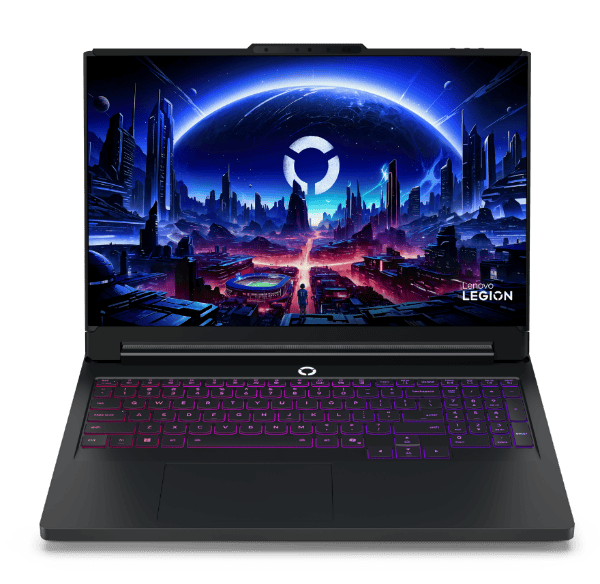
Discrete graphics refer to dedicated GPUs that are separate from the CPU and have their own dedicated video memory (VRAM). These GPUs are designed for higher performance and are commonly found in gaming laptops, professional workstations, and laptops optimized for content creation.
Advantages of Discrete Graphics:
- Enhanced Performance: Discrete GPUs offer superior graphics performance compared to integrated graphics, delivering smoother gameplay, faster rendering times, and better visual quality for gaming and multimedia tasks.
- Gaming Capabilities: Laptops with discrete graphics can run modern games at higher frame rates and settings, providing a more immersive gaming experience compared to integrated graphics.
- Professional Applications: Discrete GPUs are essential for professionals in fields such as graphic design, video editing, and 3D modeling, where GPU acceleration significantly boosts productivity.
Disadvantages of Discrete Graphics:
- Cost: Laptops with discrete graphics tend to be more expensive due to the higher cost of the GPU itself and associated components such as cooling systems.
- Power Consumption: Discrete GPUs consume more power compared to integrated graphics, which can lead to shorter battery life on laptops, especially under heavy graphics load.
- Heat Generation: Discrete GPUs generate more heat during operation, requiring robust cooling solutions that may increase the laptop’s size, weight, and fan noise levels.
Considerations for Choosing Between Integrated and Discrete Graphics
1. Usage Requirements:
- Integrated Graphics: Suitable for casual users, students, and those primarily using laptops for everyday tasks, web browsing, and multimedia consumption.
- Discrete Graphics: Recommended for gamers, multimedia enthusiasts, and professionals requiring high graphics performance for gaming, video editing, 3D modeling, and other GPU-intensive applications.
2. Budget Constraints:
- Consider your budget and whether the additional cost of a laptop with discrete graphics aligns with your usage needs and expectations for graphics performance.
3. Portability and Battery Life:
- Integrated graphics offer better power efficiency and longer battery life, making them ideal for users who prioritize mobility and extended use away from power outlets.
4. Future-Proofing:
- Evaluate future needs and whether opting for discrete graphics provides longevity and performance headroom for upcoming software updates, gaming titles, or professional projects.
Conclusion
The choice between integrated and discrete graphics for your laptop depends on your specific needs, budget, and usage patterns.
Integrated graphics offer affordability, power efficiency, and adequate performance for everyday tasks, while discrete graphics provide superior performance for gaming, content creation, and professional applications at the cost of higher power consumption and increased heat generation.
By considering these factors and evaluating your priorities—whether gaming, multimedia consumption, content creation, or professional use—you can make an informed decision that enhances your laptop’s performance and meets your computing needs effectively.