As technology continues to evolve, the debate over whether tablets can effectively replace laptops remains relevant. Tablets have gained popularity for their portability, touchscreen interface, and versatility in consuming media and running apps. However, laptops offer robust performance, productivity features, and a traditional computing experience that many users rely on for work and other intensive tasks. This article explores the capabilities, advantages, challenges, and considerations of using a tablet as a replacement for a laptop.
Understanding Tablets
Tablets are portable touchscreen devices that typically feature a lightweight and compact design. They are primarily used for web browsing, media consumption, social networking, and running mobile applications. Tablets generally do not have a physical keyboard and rely on touchscreen input for navigation and interaction.
Advantages of Tablets:
- Portability: Tablets are lightweight and easy to carry, making them ideal for users who prioritize mobility and want a device that can be used on the go.
- Touchscreen Interface: The intuitive touchscreen interface of tablets offers a seamless experience for browsing, navigating apps, and consuming multimedia content through gestures and taps.
- App Ecosystem: Tablets have access to a vast array of apps through platforms like Apple App Store (iOS) and Google Play Store (Android), providing versatility for entertainment, productivity, and creativity.
- Battery Life: Tablets generally have longer battery life compared to laptops, allowing for extended use without needing frequent recharging.
Disadvantages of Tablets:
- Productivity Limitations: Tablets may not be suitable for tasks that require extensive typing, data entry, or multitasking due to the lack of a physical keyboard and limited multitasking capabilities.
- Performance Constraints: While modern tablets are capable of handling basic productivity tasks and multimedia consumption, they may struggle with demanding applications such as video editing, graphic design, and intensive gaming.
- Storage and Connectivity: Tablets often have limited storage options and lack ports for connecting peripherals such as USB drives, external monitors, or printers.
Understanding Laptops
Laptops are portable computers equipped with a physical keyboard, trackpad, and a range of connectivity options. They offer a balance between performance and portability, making them suitable for a wide range of tasks from productivity to gaming and content creation.
Advantages of Laptops:
- Versatility: Laptops are versatile devices capable of running a variety of applications, including office productivity suites, graphic design software, video editing tools, and gaming applications.
- Performance: Laptops typically feature more powerful hardware compared to tablets, including faster processors, dedicated graphics cards (in some models), and more RAM, allowing for better multitasking and handling of resource-intensive tasks.
- Productivity Features: The presence of a physical keyboard and trackpad enhances productivity, making laptops suitable for tasks that involve extensive typing, data manipulation, and multitasking.
- Expandability: Laptops often offer options for hardware upgrades such as adding more RAM, upgrading storage drives, or connecting external devices via USB ports, HDMI ports, and other connectivity options.
Disadvantages of Laptops:
- Portability: While laptops are portable, they are generally bulkier and heavier than tablets, which can make them less convenient for carrying around on a daily basis.
- Battery Life: Laptops tend to have shorter battery life compared to tablets, especially under heavy use or when performing tasks that require high processing power.
- Cost: Laptops with higher performance specifications and features such as dedicated graphics cards can be more expensive than tablets, particularly premium models designed for gaming or professional use.
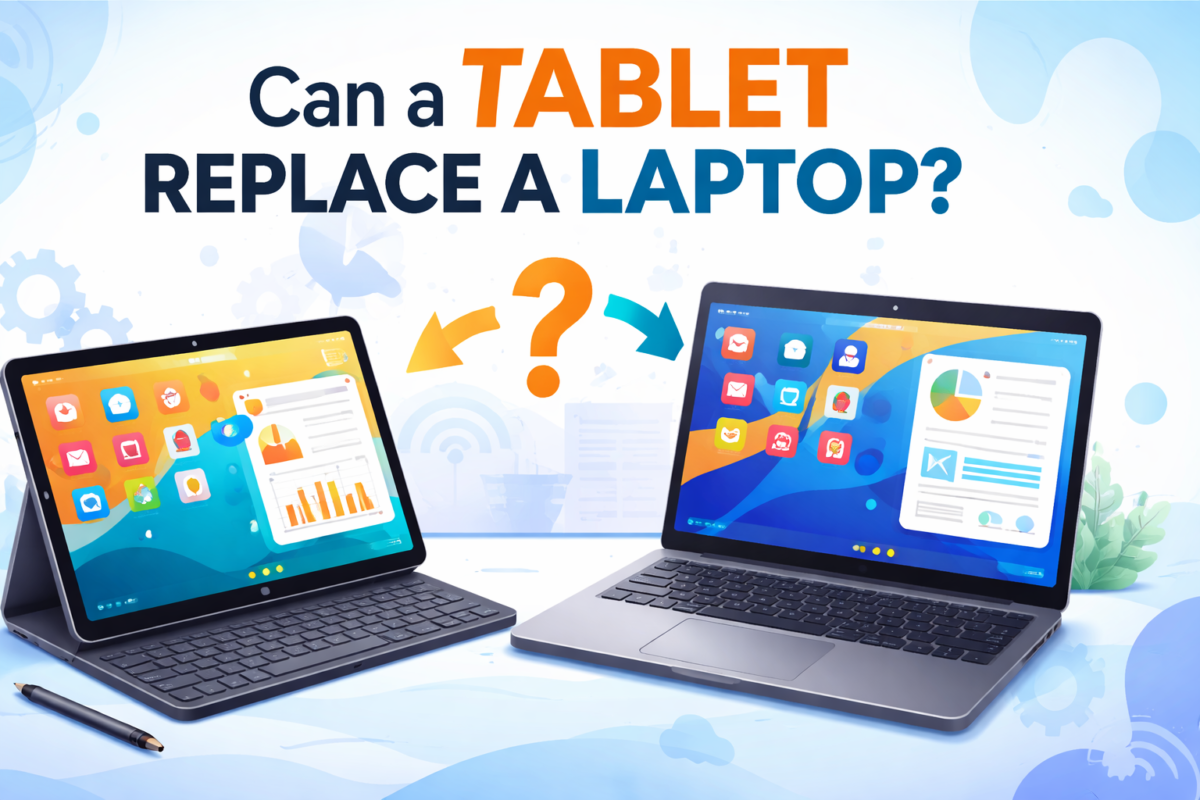
Can a Tablet Replace a Laptop?
The answer to whether a tablet can replace a laptop largely depends on your specific needs, usage patterns, and priorities:
1. Casual Use and Entertainment:
- Tablet: Suitable for casual web browsing, social media, streaming movies, reading e-books, and playing mobile games due to its portability and touchscreen interface.
2. Productivity and Professional Use:
- Laptop: Recommended for users who require robust performance for productivity tasks such as word processing, spreadsheet management, data analysis, video conferencing, and content creation.
3. Specialized Tasks:
- Laptop: Necessary for tasks that demand powerful hardware resources, such as video editing, graphic design, 3D modeling, software development, and running enterprise-level applications.
4. Hybrid and Convertible Devices:
- Hybrid devices, also known as 2-in-1 laptops or convertible tablets, offer a compromise by combining the functionality of both tablets and laptops. These devices feature detachable keyboards or flip-over screens that can be used in tablet mode for casual use and laptop mode for productivity tasks.
Conclusion
While tablets offer portability, a touchscreen interface, and access to a vast app ecosystem, they may not fully replace laptops for users who rely on extensive typing, multitasking, and demanding applications.
Laptops, with their robust performance, productivity features, and versatility, remain essential tools for professionals, students, and gamers who require a traditional computing experience.
Ultimately, the choice between a tablet and a laptop depends on your specific requirements, budget, and preference for mobility versus performance.
By understanding the strengths and limitations of each device type, you can make an informed decision that aligns with your computing needs and enhances your digital experience accordingly.