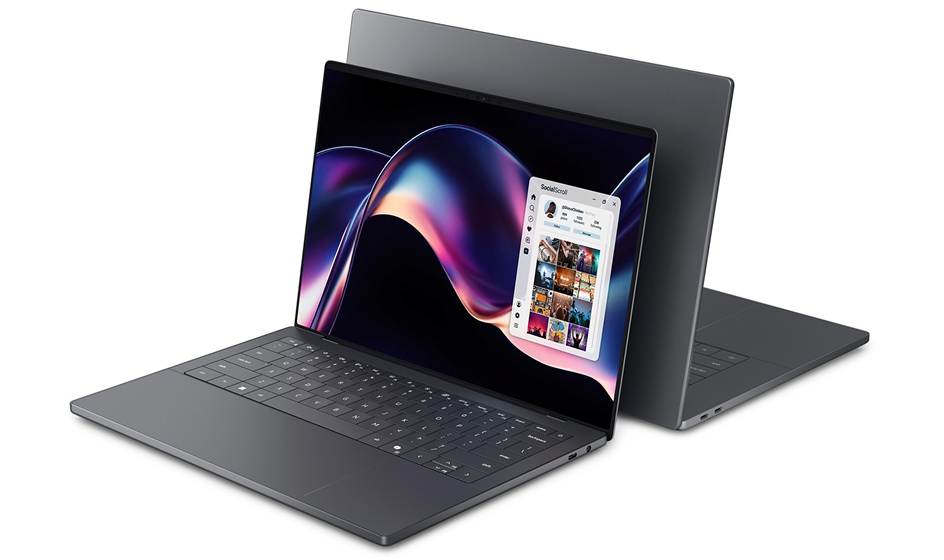
ASUS has announced the latest evolution of its groundbreaking dual-screen laptop design with the Zenbook DUO (2026) UX8407, bringing significant enhancements in performance, portability, durability, and user experience. Officially unveiled on January 7, 2026, this model continues ASUS’s tradition of pushing the boundaries of productivity and creativity with a laptop built for professionals, creators, and multitaskers.
A next-generation dual-screen laptop designed for productivity, multitasking, and creative workflows. Featuring dual 14-inch 3K OLED displays, powerful Intel Core Ultra processors, and a refined hinge and keyboard system, the Zenbook DUO aims to redefine what a modern productivity laptop can be in 2026.

Next-Level Power and Performance
The Zenbook DUO (2026) delivers a dramatic boost in performance thanks to support for the Intel® Core™ Ultra X9 Series 3 processor, combined with a 99Wh dual-battery system, this laptop is engineered for extended runtime — helping you stay productive even during the longest work sessions.
Enhanced thermal management, including precision-cut venting and larger fans, allows the system to maintain peak performance while staying cool and quiet. With up to 180 TOPS of AI performance, the Zenbook DUO is ideal for AI-accelerated workflows, complex multitasking, and creative applications.
Immersive Dual-Screen Experience
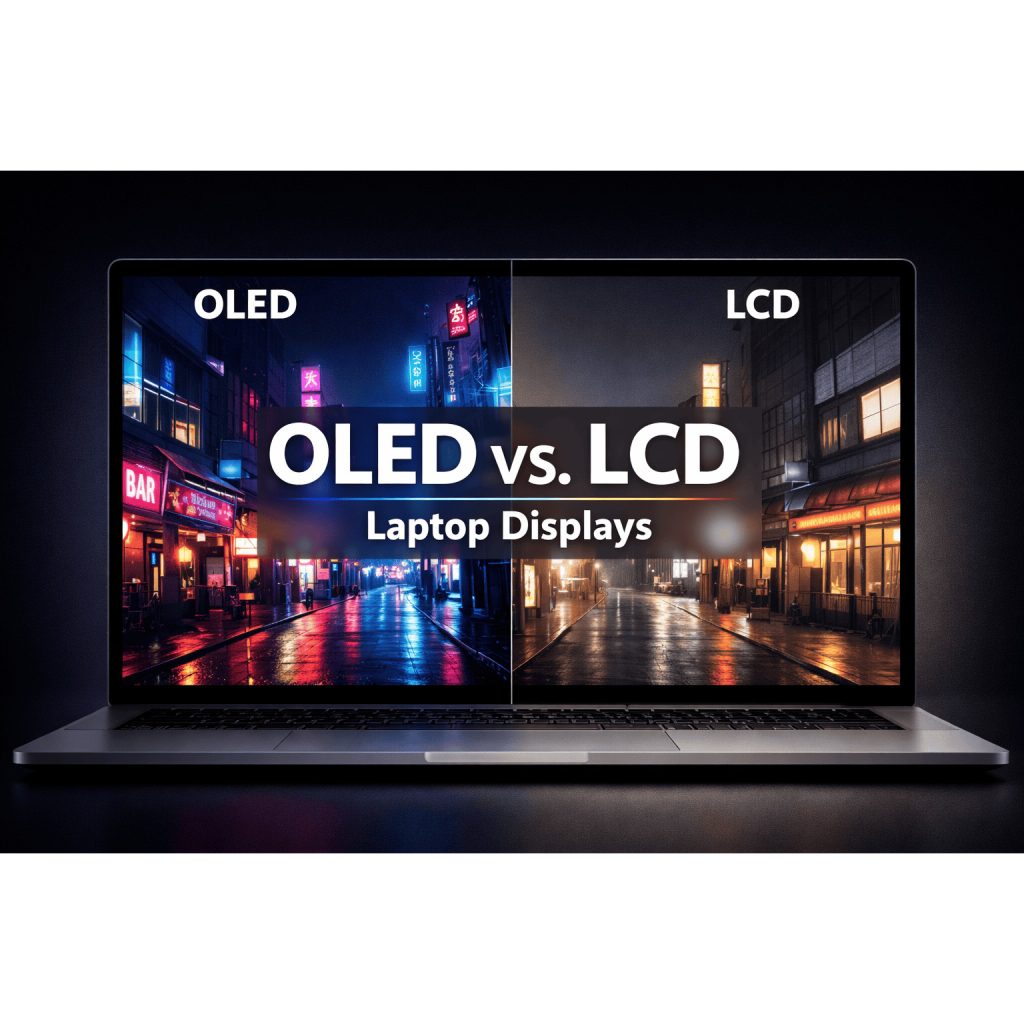
At the heart of the Zenbook DUO is its signature dual 14-inch ASUS Lumina Pro OLED displays. These 3K screens deliver impressive clarity, up to 1,000 nits peak brightness, and variable refresh rates from 48–144Hz for smooth visuals. ASUS has redesigned the layout to reduce the gap between screens by 70%, creating a more unified workspace.
Innovative Design and Durability
The laptop strikes a remarkable balance between strength and portability with its Ceraluminum™ chassis. This lightweight yet rugged build is complemented by a new hideaway hinge and MagLatch™ keyboard docking system, which make it easier than ever to transition between work modes — from laptop to presentation or sharing mode.
Specifications
| CPU | Intel® Core™ Ultra X9 processor 388H Intel® Core™ Ultra 9 processor 386H Intel® Core™ Ultra 7 processor 355H |
| Display | Dual displays: 14.0″, 3K (2880 x 1800) OLED 16:10 aspect ratio, 0.2ms response time, 144Hz refresh rate, 500 nits, 1000 nits HDR peak brightness, 100% DCI-P3 color gamut, 1,000,000:1, VESA DisplayHDR™ True Black 1000, 1.07 billion colors, Pantone® Validated, glossy display, 70% less harmful blue light, Touch screen, screen-to-body ratio 93%, with stylus support |
| Operating system | Windows 11 Home / Pro |
| Graphics | Intel® Arc™ Graphics |
| NPU | Intel® NPU up to 50TOPS |
| Main memory | Up to 32GB LPDDR5x 9600 MT/s RAM |
| Storage | Up to 2TB PCIe® Gen 4 SSD |
| Connectivity | WiFi 7 (802.11be) Bluetooth® 5.4 |
| Camera | FHD (1080p) IR camera with Windows Hello ASUS AI Camera |
| I/O ports | 2 x Thunderbolt™ 4 Type-C® 1 x USB 3.2 Gen 2 Type-A 1 x HDMI® 2.1 (FRL) 1 x Audio jack |
| Touchpad | 127 x 79mm ASUS ErgoSense touchpad |
| Audio | Smart Amp Technology Built-in speaker Built-in array microphone with Cortana support Dolby Atmos® certified |
| Battery | 99Wh |
| AC adapter | 100W adapter Output 20V DC, 5A, 100W Input: 100~240V AC, 50 / 60Hz universal |
| Dimensions | 31.01 x20.86 x 1.45cm (without Bluetooth® keyboard) 31.01 x 20.86 x 1.96cm (with Bluetooth® keyboard) |
| Weight | 1.35 kg (without Bluetooth® keyboard) 1.65 kg (with Bluetooth® keyboard) |
* Specifications, content and product availability are all subject to change without notice and may differ from country to country. Actual performance may vary depending on applications, usage, environment and other factors. Full specifications are available at http://www.asus.com
Pros & Cons
| Pros | Cons |
| Dual 14″ 3K OLED Displays The standout feature of the Zenbook DUO (2026) is its dual OLED setup, delivering sharp visuals, deep blacks, and excellent color accuracy—perfect for multitasking, content creation, and productivity workflows. Powerful Intel Core Ultra AI Performance Equipped with the latest Intel Core Ultra processors, this laptop offers strong CPU, GPU, and AI acceleration, making it suitable for advanced multitasking and AI-assisted applications. Excellent Multitasking & Productivity Running multiple apps across two screens significantly boosts workflow efficiency, especially for developers, designers, analysts, and business users. Premium, Lightweight Build The Ceraluminum™ chassis keeps the laptop lightweight while maintaining durability, making it portable despite its dual-screen design. Long Battery Life for a Dual-Screen Laptop The large 99Wh battery provides impressive runtime compared to other dual-display laptops, even with both OLED screens active. High-Quality Audio & Connectivity The six-speaker Dolby Atmos system, Thunderbolt 4 ports, Wi-Fi 7, and modern I/O make this a well-rounded premium device.1 | Premium Price Expected Dual OLED displays and high-end hardware place the Zenbook DUO (2026) in a higher price bracket, which may not suit budget-focused buyers. Learning Curve for Dual-Screen Workflow Users coming from traditional laptops may need time to adapt to managing apps across two displays. Not Ideal for Gaming While Intel Arc graphics are capable, this laptop is designed for productivity and creative work—not serious gaming. Keyboard Detachment May Not Suit Everyone The detachable keyboard design offers flexibility but may feel unfamiliar to users who prefer a fixed, traditional laptop layout. |
ASUS Zenbook DUO (2026) FAQ
Does the ASUS Zenbook DUO (2026) support stylus input?
Yes, both OLED displays support touch and stylus input, making it ideal for creators and note-taking.
Is the Zenbook DUO good for multitasking?
Absolutely. The dual-screen setup combined with Intel Core Ultra AI performance allows advanced multitasking workflows.
Can the Zenbook DUO replace a desktop setup?
For many productivity and creative users, yes — especially when paired with external peripherals.
Source: ASUS